
Unlock the 7 critical website development stages for a high-converting site. Learn about strategy, design, QA, and launch to drive measurable results.
Jan 11, 2026

Launching a website that drives real business outcomes, like higher conversion rates and more qualified leads, isn't about luck. It's about a systematic, repeatable process. Skipping a step or rushing through a phase often leads to costly rework, missed deadlines, and a final product that fails to connect with your audience. This guide breaks down the essential website development stages into a clear, actionable framework designed to prevent those common failures.
We'll move beyond abstract theory and provide a detailed playbook for each part of the lifecycle. You will learn the specific goals, key deliverables, and critical team roles required to move from a simple idea to a high-performing digital asset. We will cover everything from initial discovery and user research to the technical details of development, quality assurance, and post-launch iteration.
This article is designed to be a practical resource. Whether you're a founder planning your first MVP, a marketing leader building a new conversion funnel, or a product manager overseeing a complex web application, understanding these distinct stages is crucial. You'll gain the clarity needed to manage project timelines, allocate resources effectively, and collaborate efficiently with an in-house team or a dedicated agency partner. By mastering this process, you can ship better websites faster and more predictably, ensuring your investment translates directly into measurable business growth.
1. Discovery & Strategy
The Discovery and Strategy stage is the foundation of the entire website development lifecycle. Skipping this phase is like building a house without a blueprint; it leads to costly rework, missed goals, and a final product that doesn't serve its purpose. This initial phase is all about asking "why" before you even think about "what" or "how." It's where your team aligns on business objectives, clarifies market positioning, and gains a deep understanding of user needs.
For early-stage startups and SaaS companies, this stage is non-negotiable. It's the mechanism for validating core assumptions and identifying the value proposition that will drive conversions and user adoption, preventing expensive pivots down the line.
What Happens in This Stage?
This phase is less about code and pixels and more about conversations, research, and documentation. Activities typically include stakeholder interviews to define business goals, user interviews to uncover pain points, and competitive analysis to identify market gaps and opportunities. The goal is to synthesize these findings into a clear strategic direction.
Key Insight: The Discovery stage isn't just a formality; it's a strategic imperative. It ensures that every design and development decision is tied directly to a validated business goal and a real user need.
Successful companies build their strategy on deep user empathy. For example, Slack’s early strategy focused on solving the chaos of internal communication, a pain point discovered through extensive interviews with their own team and other small companies. Similarly, Notion identified the need for an all-in-one workspace by researching how productivity-focused teams were struggling to juggle multiple disconnected tools.
Actionable Checklist for Discovery & Strategy
To get the most out of this crucial stage, focus on structured, actionable steps rather than relying on internal guesswork. Once the initial vision is clear, understanding the financial implications is next. Factors like the anticipated web page design cost will shape your project's feasibility.
Conduct User Interviews: Aim for 10-15 conversations with your target audience. Use the "Jobs to be Done" framework to understand their true motivations, not just their surface-level requests.
Define Core KPIs: Establish 3-5 key performance indicators (KPIs) to measure success. Examples include conversion rate, number of qualified leads, or average time saved per user.
Create a Positioning Matrix: Map out your competitors based on key differentiators. This visual tool helps clarify your unique value proposition in the market.
Centralize Your Findings: Use a shared tool like a Notion board or a Google Doc to document all research, decisions, and strategic pillars. This creates a single source of truth and ensures async alignment. A clear strategy is the first step in building a coherent project plan, and we've detailed exactly how to create a product roadmap to guide your next steps.
2. Information Architecture & Wireframing
The Information Architecture (IA) and Wireframing stage translates strategy into a tangible structure. If discovery is the blueprint, this stage is framing the house before the walls go up. It’s where you organize all your content and functionality into a logical hierarchy and create low-fidelity sketches (wireframes) that define layout, user flow, and on-page elements. The goal is to solve structural problems before visual design introduces distractions.
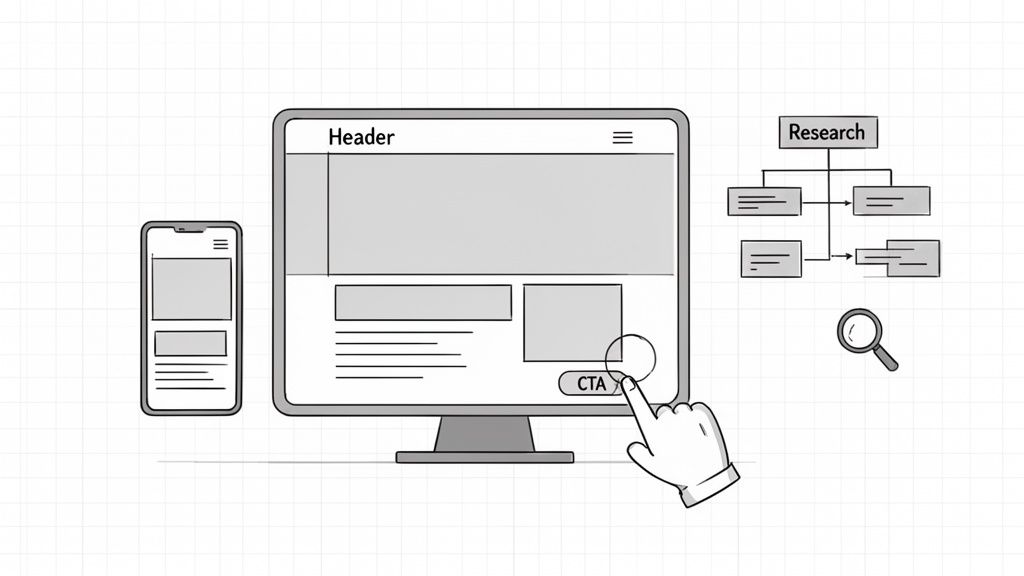
This is one of the most critical website development stages for SaaS products and conversion-focused sites. A clear IA ensures users can find what they need intuitively, while well-planned wireframes dictate how they will interact with key features. Getting this right prevents confusing navigation and reduces user friction, directly impacting engagement and conversion rates.
What Happens in This Stage?
This phase is all about structure, not aesthetics. Activities include creating sitemaps to visualize the hierarchy of pages, performing card-sorting exercises with users to validate content groupings, and developing grayscale wireframes for key screens. These wireframes are simple block diagrams that prioritize content, functionality, and user pathways over colors or fonts. The team establishes how users navigate the site and where critical calls-to-action will live.
Key Insight: Wireframing isn't about how the site looks; it's about how it works. By stripping away visual design, you force critical conversations about functionality, content priority, and user flow, which are much harder to change later.
Top companies use this stage to de-risk their user experience. For instance, Airbnb's early wireframes famously prioritized search filters and property discovery, ensuring the core user task was effortless. Similarly, Stripe's wireframes for their payment flows were meticulously designed to eliminate every unnecessary step, a key factor in their reputation for seamless user experience. HubSpot's dashboard wireframes organized complex data into scannable sections, focusing purely on providing quick insights.
Actionable Checklist for IA & Wireframing
A structured approach ensures your website’s skeleton is strong enough to support your business goals. Focus on user-centric validation and clear documentation to keep the project on track.
Test Your Information Architecture: Conduct card-sorting or tree-testing exercises with 5-8 users. This will quickly reveal if your proposed navigation structure aligns with how your audience thinks.
Prioritize Mobile-First Thinking: Design your wireframes for the smallest screen first. This forces you to prioritize the most essential content and functionality, leading to a cleaner, more focused experience on all devices.
Create User Flow Diagrams: For critical paths like signup, checkout, or lead conversion, map out every step and screen in a simple flow diagram. This helps identify potential friction points early.
Keep Wireframes in Grayscale: Resist the temptation to add color or branding. The purpose is to get feedback on layout and structure; visual elements will only distract stakeholders from the core task.
Use a Shared Wireframing File: Collaborate in a tool like Figma. This allows for real-time feedback, async collaboration, and a single source of truth for the entire team, from designers to developers.
3. Visual Design & UI Development
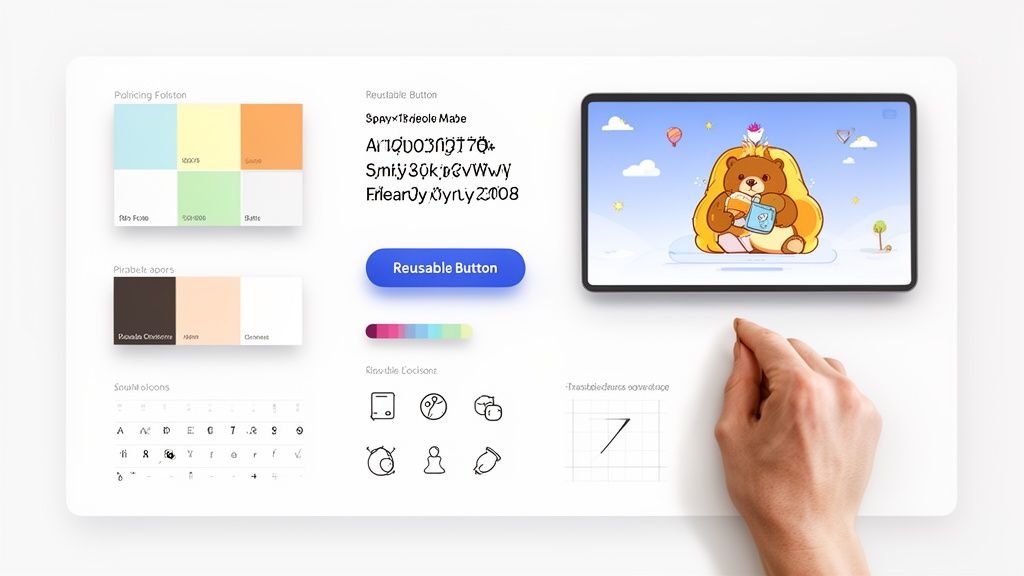
The Visual Design & UI (User Interface) Development stage is where the strategic skeleton from the previous phases gets its skin. This is the process of transforming wireframes and prototypes into a polished, brand-aligned, and aesthetically pleasing interface. It’s about creating the first impression that builds trust, communicates value, and guides user behavior through thoughtful application of color, typography, spacing, and interactivity.
For SaaS companies and startups, a strong UI is a competitive advantage. It elevates perceived value, makes complex features feel intuitive, and directly impacts user satisfaction and conversion rates. This phase breathes life into the product, making it not just functional but also enjoyable to use.
What Happens in This Stage?
This stage is where designers meticulously craft the look and feel of every component. Activities include defining a consistent color palette, selecting typography that enhances readability, designing icons, and creating a library of reusable components like buttons, forms, and navigation bars. The outcome is a high-fidelity, pixel-perfect design that developers can translate directly into code. This is a critical step in the overall website development stages, bridging the gap between abstract structure and tangible product.
Key Insight: UI design is not just about making things look pretty. It's a strategic discipline that uses visual cues to reduce cognitive load, establish brand identity, and make the user’s journey as seamless and intuitive as possible.
High-polish interfaces are a hallmark of successful SaaS products. For example, Linear's interface uses precise typography and a dark, focused color scheme to create a feeling of speed and efficiency. Similarly, Superhuman's crisp UI and smooth animations make the mundane task of managing email feel premium and powerful, justifying its premium price point.
Actionable Checklist for Visual Design & UI Development
To move from wireframe to a stunning, developer-ready interface, a systematic approach is essential. A well-organized design system is the cornerstone of efficiency and consistency. For those creating data-heavy interfaces, applying these same principles is key, and our guide on dashboard design best practices provides a deeper dive.
Build a Design System from Day One: Use a tool like Figma to create a centralized library of design tokens (colors, fonts, spacing) and reusable components. This ensures consistency and dramatically speeds up both design and development.
Design for All States: Don't just design the "happy path." Create variations for empty states, loading states, error states, and success notifications to provide a complete user experience.
Use a Grid System: Consistently apply an 8px or 4px grid system across all designs. This ensures perfect alignment and creates a visually harmonious layout.
Define Interactive States: Clearly design and document the hover, active, disabled, and focus states for all interactive elements like buttons, links, and form fields.
Test for Accessibility: Use Figma plugins or browser tools to check color contrast ratios and ensure typography is readable for all users, including those with visual impairments.
4. Development & Frontend Implementation
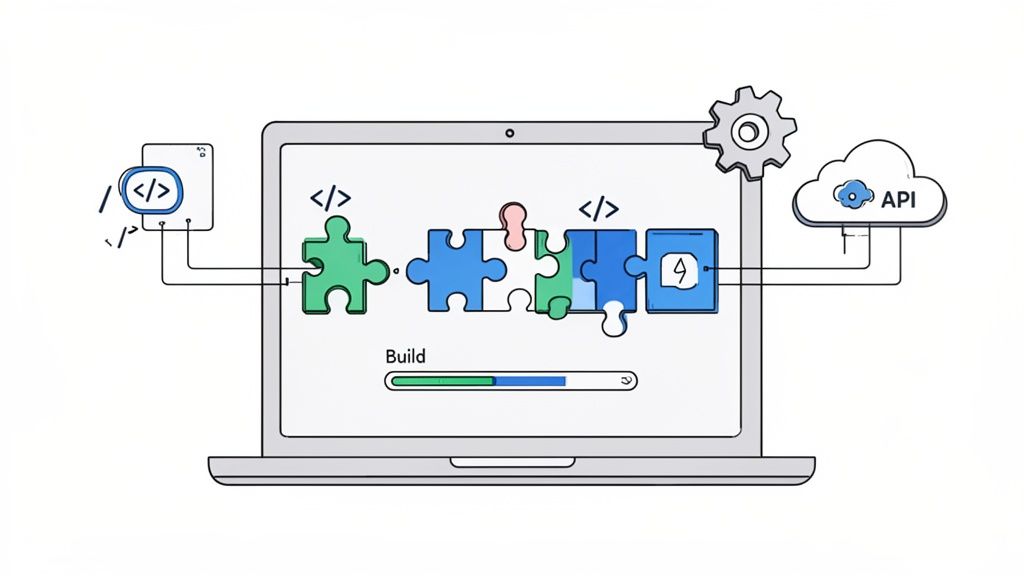
The Development & Frontend Implementation stage is where static designs are transformed into a living, interactive website. This is the engineering phase where pixel-perfect mockups become functional code. Developers build the frontend architecture, write clean and maintainable code, integrate with backend services and APIs, and ensure the final product is fast, responsive, and accessible. It’s where design fidelity meets technical execution, requiring close collaboration to ship a polished product efficiently.
For SaaS platforms and tech startups, this is one of the most critical of all website development stages. A robust frontend built with modern practices directly impacts user experience, performance, and the ability to iterate quickly. Neglecting code quality here creates technical debt that slows down future development and can harm user retention.
What Happens in This Stage?
This phase is entirely focused on writing and shipping code. Developers take the approved UI designs and component libraries from the design phase and translate them into a functional application. Key activities include setting up the development environment, building reusable UI components, connecting to data sources via APIs, and implementing the core business logic that drives the user experience. Continuous integration and deployment (CI/CD) pipelines are set up to automate testing and releases.
Key Insight: Development isn't just about making designs functional; it's about building a scalable and performant foundation. The choice of frameworks and architectural patterns made here will affect the product's speed, stability, and long-term maintainability.
Modern development is built on this principle. Vercel’s Next.js framework, used by companies like TikTok and Nike, prioritizes performance and developer experience to enable rapid shipping. Similarly, Figma’s web app uses advanced technologies like WebAssembly to deliver a highly performant, real-time collaborative experience directly in the browser, proving that complex applications can be fast and reliable.
Actionable Checklist for Development & Frontend Implementation
To ensure this stage is efficient and effective, focus on establishing best practices and automation from day one. This prevents technical debt and empowers your team to ship features faster and with more confidence.
Use Modern Frameworks: Adopt frameworks like Next.js or Astro that prioritize performance and provide a superior developer experience. This speeds up initial development and makes long-term maintenance easier.
Establish a Component Library: Implement a coded component library that mirrors your design system. Tools like Storybook can help build and test UI components in isolation, ensuring consistency.
Set Performance Budgets: Define clear targets for Core Web Vitals (LCP, INP, CLS) before development begins. Use tools like Lighthouse to continuously monitor performance against these budgets.
Enforce Code Quality with TypeScript: Use TypeScript to catch potential errors during development, not in production. This improves code reliability and makes it easier for new developers to understand the codebase.
Automate Testing and Deployment: Configure CI/CD pipelines to automatically run tests and deploy to staging or production environments. This reduces manual errors and enables rapid, fearless iteration.
Prioritize Accessibility: Build with semantic HTML and use ARIA attributes from the start. Regularly test with screen readers and other assistive technologies to ensure an inclusive user experience.
Integrate Analytics Early: Implement tracking for key user actions and business metrics using tools like Amplitude or Segment. This provides the data needed for post-launch optimization.
5. Quality Assurance & Testing
The Quality Assurance (QA) and Testing stage is the critical validation gate that stands between development and a live product. It’s where you systematically check, re-check, and stress-test the website to ensure everything works as intended. Ignoring this phase is a direct path to user frustration, lost revenue, and a damaged brand reputation. This is the stage where you confirm that the site is not only functional but also fast, secure, and accessible for everyone.
For conversion-focused websites and SaaS products, this is the final line of defense against bugs that could break a user journey. A non-functional checkout button or a broken sign-up form isn't just a glitch; it's lost business. This stage ensures that all the strategic work done previously translates into a flawless user experience.
What Happens in This Stage?
This phase involves a series of structured tests designed to find and fix issues before users do. Activities range from manual checks of individual components to automated scripts that simulate user journeys. The process includes functional testing to verify features, performance testing to measure speed, security audits to find vulnerabilities, and accessibility checks to ensure compliance. The goal is to move from a "developer-complete" state to a "user-ready" product.
Key Insight: Quality assurance isn't just about finding bugs; it’s about validating the entire user experience. It ensures that the final product meets the high standards set in the strategy phase and delivers on its core promise to the user.
Successful companies treat QA as a non-negotiable part of their process. For example, Shopify’s rigorous testing prevents checkout failures that would directly impact merchant revenue. Similarly, Notion's continuous performance testing ensures their web app remains responsive even as millions of users add complex content, safeguarding the user experience that defines their brand.
Actionable Checklist for Quality Assurance & Testing
A structured approach to QA is essential for catching critical issues efficiently. Instead of ad-hoc clicking, implement a systematic process that covers all bases.
Automate Critical User Paths: Use end-to-end testing tools like Cypress or Playwright to automate tests for essential flows like user signup, login, and payment processing. This ensures your core business functions are never broken.
Establish Performance Budgets: Use Google Lighthouse to measure Core Web Vitals and set clear performance benchmarks. Configure your deployment pipeline to fail the build if a page exceeds size or speed limits, preventing performance regressions.
Create a Manual QA Checklist: Document a checklist covering key areas for manual review: check all links, validate all forms, test responsive layouts on multiple devices, and perform cross-browser checks on Chrome, Safari, and Firefox.
Conduct User Acceptance Testing (UAT): Involve key stakeholders and a small group of real users in the final testing phase. This helps catch misaligned requirements and usability issues that developers and designers might have missed.
Implement Security Scans: Integrate automated security scanning into your continuous integration pipeline. Tools can check for outdated dependencies with known vulnerabilities and analyze your code for common security flaws.
6. Launch & Deployment
The Launch and Deployment stage is the moment of truth in the website development lifecycle. This is where your thoroughly designed, developed, and tested product moves from a private staging environment to a live server, becoming accessible to the world. It’s far more than flipping a switch; it's a carefully orchestrated process involving final infrastructure setup, DNS configuration, and coordinated communication to ensure a smooth, successful release.
For early-stage startups, this stage is a critical first impression. A flawless launch can generate powerful momentum and build immediate user trust, while a chaotic one can damage brand perception and stall adoption before it even begins. Proper planning here separates a professional rollout from a stressful, error-prone release.
What Happens in This Stage?
This phase is a technical and logistical crescendo, combining final engineering tasks with strategic marketing and communication efforts. Activities include migrating the final code and database to the production server, configuring the domain to point to the new site, and setting up Content Delivery Networks (CDNs) to ensure fast load times for a global audience. Simultaneously, monitoring tools for uptime, performance, and errors are activated.
Key Insight: A successful launch is not an event, but a process. It relies on a detailed, pre-planned runbook that accounts for every technical step, communication touchpoint, and potential rollback scenario.
Great launches create a ripple effect. Notion's 2018 public launch on Product Hunt, for instance, was perfectly timed and supported by an engaged community, leading to 800,000 users in just months. Similarly, Slack leveraged the network effects of a Y Combinator demo day to create buzz and drive rapid adoption among tech-savvy early users. These weren't accidents; they were well-executed deployment plans.
Actionable Checklist for Launch & Deployment
To ensure your website launch goes smoothly and achieves its intended impact, meticulous preparation is essential. A detailed plan minimizes risks and prepares the team for any unexpected issues.
Create a Launch Day Runbook: Document every single step: who is responsible for what, the exact sequence of actions, primary communication channels (like a dedicated Slack channel), and clear rollback procedures if a critical issue arises.
Set Up Comprehensive Monitoring First: Before a single user visits the site, ensure tools are in place to track uptime, server performance, application error rates, and key conversion metrics. You can't fix what you can't see.
Conduct a Full Production Rehearsal: At least 24 hours before the official launch, run through the entire deployment process on the live environment. This is the best way to catch configuration issues or environmental differences that didn't appear during testing.
Coordinate Launch Communications: Align all external messaging. Schedule the email announcement, prepare the Product Hunt listing, and have social media posts ready to go. The timing of these communications should be coordinated with the technical deployment for maximum impact.
7. Optimization, Monitoring & Iteration
The launch of your website is not the finish line; it’s the starting line. The Optimization, Monitoring, and Iteration stage is where the real work of growing a successful digital product begins. This ongoing phase is a continuous cycle of analyzing real user data, identifying improvement opportunities, and deploying changes to enhance performance. It shifts the focus from building a product to growing it.
For SaaS companies and startups, this is the engine of sustainable growth. It's how you turn initial user interest into long-term retention and advocacy, ensuring the product evolves with user needs and market demands rather than becoming stagnant and irrelevant.
What Happens in This Stage?
This stage is fundamentally data-driven. It involves using analytics tools, session recordings, and direct user feedback to understand what’s working and what isn’t. Teams use this information to form hypotheses, run A/B tests, fix bugs, and roll out incremental improvements that move key business metrics. This is one of the most dynamic and crucial of all the website development stages.
Key Insight: The most successful websites are not built and forgotten; they are living products that are constantly refined. An iterative approach allows you to make smarter, data-backed decisions that compound over time.
This principle is seen in action with industry leaders. Slack, for instance, continuously refines its onboarding flow based on user behavior data to drive activation and retention. Similarly, HubSpot constantly evolves its CRM by incorporating customer feedback, ensuring it remains competitive and valuable to its user base.
Actionable Checklist for Optimization, Monitoring & Iteration
To build a culture of continuous improvement, you need a structured process, not random guesswork. Once your site is live, managing its operational costs becomes crucial. It's wise to explore actionable cloud cost optimization strategies to keep your infrastructure expenses in check as you scale.
Establish an Optimization Cadence: Set up a weekly or bi-weekly meeting to review key metrics, identify the top 3-5 optimization priorities, and assign owners. Use a Notion board to track ideas and prioritize by expected impact.
Instrument Key Analytics: Ensure you are tracking critical user actions, conversion events, and funnel drop-off points with tools like Google Analytics 4 or Mixpanel. Proper instrumentation is the bedrock of data-informed decisions.
Implement Session Recordings: Use tools like Hotjar or LogRocket to watch how real users interact with your website. This qualitative insight helps you understand the "why" behind the quantitative data.
Run High-Impact A/B Tests: Instead of testing minor button colors, focus on high-impact changes to headlines, calls-to-action (CTAs), form fields, and pricing presentations. To dive deeper into this, we've outlined a guide on how to improve website conversion rates with practical strategies.
Collect User Feedback: Actively solicit feedback through simple surveys, user interviews, or feedback widgets. Combining qualitative insights with quantitative data leads to the most powerful improvements.
7-Stage Website Development Comparison
Stage | Implementation complexity | Resource requirements | Expected outcomes | Ideal use cases | Key advantages |
|---|---|---|---|---|---|
1. Discovery & Strategy | Low–Moderate (research, alignment) | Product/sales stakeholders, UX researchers, market analysts | Validated positioning, prioritized roadmap, measurable KPIs | Early-stage startups, pivots, new product definition | Reduces rework, aligns teams, identifies conversion drivers |
2. Information Architecture & Wireframing | Moderate (structure & flows) | UX designers, prototyping tools (Figma/Miro), test participants | Clear site map, validated user flows, low-fidelity prototypes | Complex navigation, multi-page sites, conversion funnels | Fast iteration, uncovers structural issues, smoother handoffs |
3. Visual Design & UI Development | Moderate–High (design systems & polish) | UI designers, design system tooling, prototyping/animation tools | High-fidelity mockups, component library, brand-consistent UI | SaaS launches, brand refreshes, premium positioning | Builds trust, improves perceived value and conversions |
4. Development & Frontend Implementation | High (engineering, integrations) | Frontend engineers, frameworks (Next.js/Vue), CI/CD, APIs | Functional, responsive product; optimized performance and SEO | Interactive web apps, MVP shipping, complex integrations | Delivers functionality quickly, enables future iteration |
5. Quality Assurance & Testing | Moderate–High (comprehensive validation) | QA engineers, automated test suites, cross-browser/device tools | Reliable, accessible, secure product with fewer launch defects | Revenue-critical flows, high-traffic launches, regulated products | Prevents regressions, ensures accessibility and security |
6. Launch & Deployment | Moderate (coordination & ops) | DevOps/hosting (Vercel/AWS), monitoring, launch team, CDN | Production release with monitoring, rollback plans, live analytics | Public launches, go-to-market campaigns, product releases | Enables real user feedback and revenue; controlled rollout |
7. Optimization, Monitoring & Iteration | Ongoing Moderate (data-driven cycles) | Analysts, CRO tools, A/B platforms, engineers for changes | Improved conversion, retention, performance via continuous tests | Growth-stage products, retention improvement, scaling efforts | Continuous gains from data, prioritized improvements, reduced assumptions |
From Blueprint to Business Impact
Navigating the intricate landscape of website creation can feel like an overwhelming journey, but as we've explored, it's a structured and logical process. The key takeaway is that the website development stages are not merely a checklist to be ticked off; they are an interconnected, sequential framework where the success of each phase directly depends on the quality of the one before it. A rushed Discovery phase leads to a flawed strategy. A neglected Information Architecture results in a confusing user journey. And a superficial QA process can undermine thousands of hours of meticulous design and development.
By understanding this lifecycle, you move from building a website to engineering a strategic business asset. The process demystifies the path from an abstract idea to a tangible, high-performing digital platform. It transforms a potentially chaotic project into a manageable, predictable, and ultimately more successful endeavor.
The Most Critical Takeaways
To distill our deep dive into a few core principles, remember these crucial points:
Strategy is the Foundation: Never underestimate the Discovery and Strategy phase. The insights gained here about your audience, competitors, and core business goals will inform every subsequent decision. Skipping this step is like building a house without a blueprint; it’s a recipe for costly rework and a product that misses the mark.
Structure Precedes Design: The temptation to jump straight into beautiful visual mockups is strong, but discipline pays dividends. Wireframing and Information Architecture are your project's skeleton. Getting the bone structure right ensures that the stunning UI you create later is not just beautiful but also intuitive, functional, and effective.
Development is a Collaborative Craft: Frontend and backend development are not siloed activities. They require constant communication between designers, developers, and project managers to ensure the final product is a pixel-perfect, fully functional translation of the approved designs. A cohesive team prevents the "it looked different in the mockup" problem.
The Launch is a Beginning, Not an End: Hitting the "deploy" button is a major milestone, but it's far from the finish line. The post-launch phase of monitoring, optimization, and iteration is where a good website becomes a great one. This is where you leverage real-world user data to make informed improvements that drive conversions and enhance user satisfaction.
Putting Knowledge into Action: Your Next Steps
Understanding these website development stages is the first step; implementing them is what creates tangible business impact. To move forward, focus on these actionable steps:
Audit Your Current Process: If you have an existing website or a project in mind, map your current or planned approach against the seven stages we've outlined. Where are the gaps? Are you dedicating enough time and resources to early-stage planning and research?
Assign Clear Ownership: For each stage, identify who is responsible. Whether you have an in-house team or work with an agency, clarity on roles (Project Manager, UX Designer, Lead Developer, QA Specialist) prevents ambiguity and ensures accountability.
Embrace the Iterative Mindset: Treat your website as a living product, not a static brochure. Plan for ongoing analysis and updates from day one. Allocate a budget and resources for post-launch optimization, as this is where you'll unlock the highest ROI.
Ultimately, mastering this process means you can consistently build digital experiences that not only look impressive but also deliver measurable results. You can reduce risk, manage budgets effectively, and align every stakeholder around a common goal: creating a powerful engine for business growth.
Feeling ready to build, but want an expert partner to guide you through every stage with precision and speed? At Shalev Agency, we specialize in executing this entire lifecycle, turning ambitious ideas into polished, conversion-focused digital products. Let us handle the complexities of the website development stages so you can focus on growing your business. Get in touch with Shalev Agency today to start building your next success story.