
Master the website development process from start to finish. Our guide breaks down each stage, from strategy and design to launch and beyond.
Jan 11, 2026
Building a website isn't just about throwing some code and images together. The website development process is a structured plan that takes you from a raw idea to a fully functioning site that actually works for your business. It's the roadmap that keeps everyone on track, aligns the project with your goals, and prevents expensive do-overs down the line.
Think of it as the blueprint for your digital home. You wouldn't build a house without one, and the same logic applies here.
Your Blueprint for Digital Success
Building a website that actually gets results is a science, not a shot in the dark. This guide is here to pull back the curtain on the entire website development process, breaking it down into simple, actionable stages.
We'll walk through the whole journey—from the initial "big idea" strategy and user experience (UX) research to the nuts and bolts of development, testing, and finally, launch day. This is for the founders, marketers, and product managers who need a clear framework for building a website that turns visitors into loyal customers.
Understanding the Development Workflow
To really get a handle on how a great website comes to life, it helps to understand the core phases of the software development process that keep a project moving from A to Z. While no two projects are identical, these fundamental stages create a reliable structure for success.
The image below gives you a quick visual of this high-level workflow, moving from strategy to design and finally to launch.
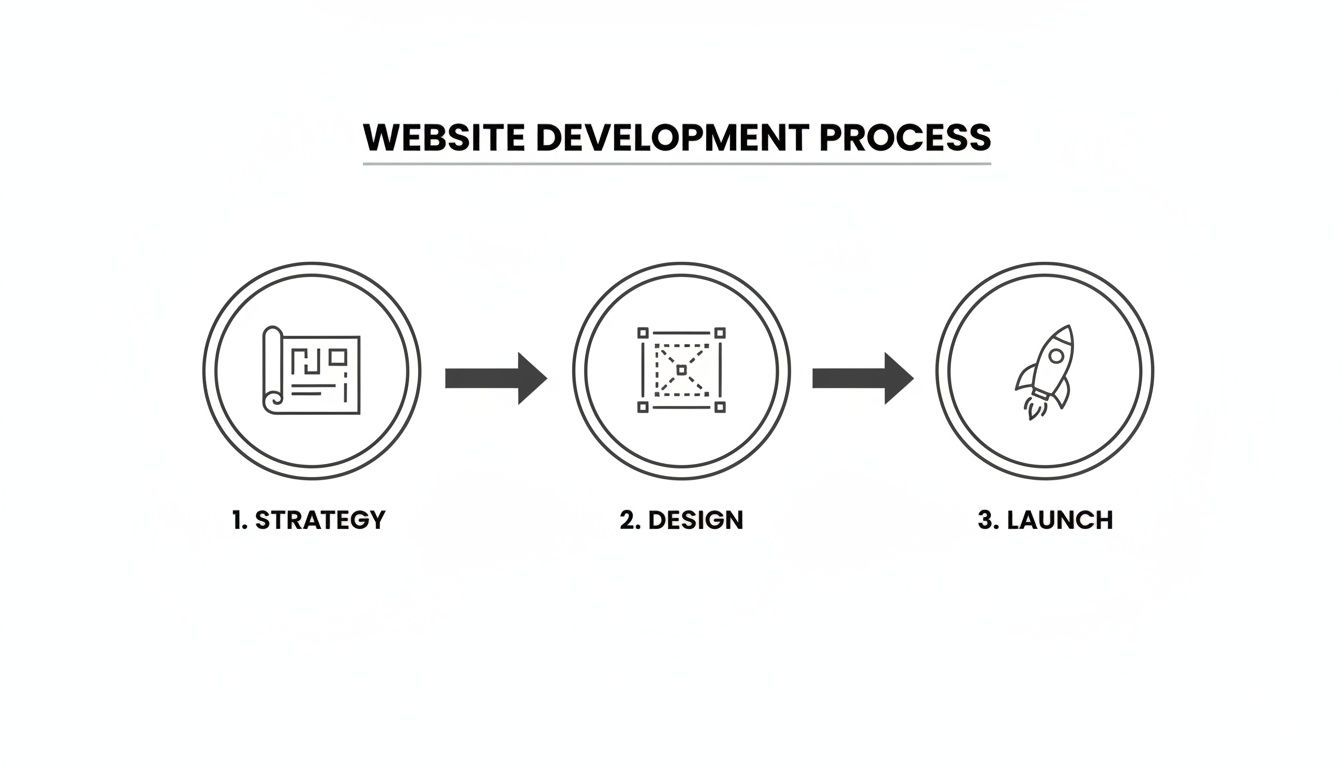
You can see how each step logically flows into the next. This isn't random; it's a deliberate progression that ensures a solid foundation before moving on.
Having a structured approach like this is more important than ever. The global web development market is expected to hit a staggering USD 104.31 billion by 2030, showing just how seriously companies are taking their online presence. In fact, 65% of companies are already pouring money into web development to modernize and keep up.
For startups and SaaS companies, a high-converting website isn't just a nice-to-have—it's the engine for growth and lead generation.
A well-defined website development process turns a complex technical project into a predictable business initiative. It aligns stakeholders, manages expectations, and ultimately ensures the final product solves real-world problems for both the business and its users.
By following this blueprint, you sidestep the common traps and create a digital experience that doesn’t just look good, but delivers real, measurable results. In the next sections, we'll dive deep into each stage with the checklists, tips, and expert advice you need to steer your next project with confidence.
The Core Stages Of The Website Development Process
To give you a clearer picture, here’s a quick breakdown of what each phase entails. Think of this table as your cheat sheet for the entire journey.
Stage | Primary Goal | Key Deliverable |
|---|---|---|
1. Discovery & Strategy | Define project goals, scope, target audience, and success metrics. | A detailed project brief, scope of work (SOW), and a strategic roadmap. |
2. UX Research & Design | Understand user needs and create an intuitive, user-friendly structure. | User personas, journey maps, sitemaps, wireframes, and prototypes. |
3. UI & Visual Design | Establish the look and feel, branding, and visual hierarchy. | High-fidelity mockups, a complete design system, and style guides. |
4. Development | Write the code that brings the designs to life (both front-end and back-end). | A functional, coded website on a staging server. |
5. Testing & QA | Find and fix bugs, ensure cross-browser compatibility, and test performance. | A bug-free, fully tested website ready for deployment. |
6. Launch & Deployment | Push the website live to the public server. | The live, publicly accessible website. |
7. Maintenance & Growth | Provide ongoing support, updates, and optimization based on user data. | A secure, up-to-date website with performance analytics reports. |
Each of these stages is a critical piece of the puzzle. Skipping one might seem like a shortcut, but it almost always leads to headaches and a weaker final product. We'll explore each one in much more detail ahead.
2. Laying the Foundation with Discovery and Strategy
Every great website starts not with a line of code, but with a series of hard questions. This first stage, Discovery and Strategy, is all about nailing down the ‘why’ before you even think about the ‘what.’ Honestly, skipping this is like trying to build a house without a blueprint—it might stand for a little while, but it’s destined to have serious problems down the road.
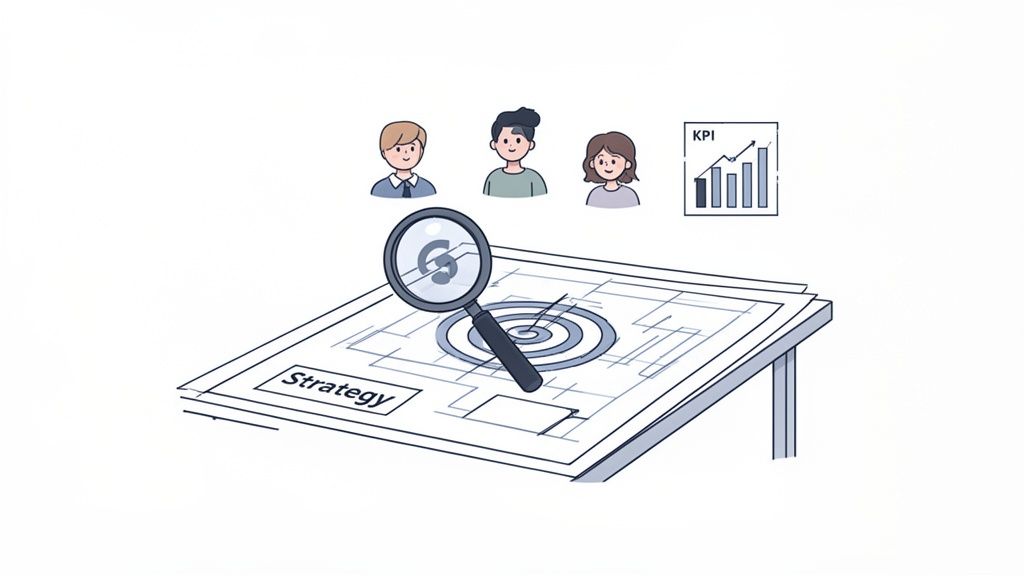
The whole point here is to turn your business goals into an actual, actionable plan. This ensures that every design choice, every feature, and every piece of content has a clear purpose, whether that's getting more qualified leads or boosting online sales. For startups and marketing teams, getting this alignment right is the only way to see a real return on your investment.
Aligning Stakeholders and Defining Goals
First things first: you have to get all the key players in one room (or a Zoom call). I’m talking about everyone from marketing and sales to the product and leadership teams. These aren't just casual chats; they are structured interviews designed to pull out everyone’s expectations, define what success really looks like, and iron out any misalignments that could blow up the project later.
We focus on getting clear answers to a few core questions:
What's the #1 business goal for this website? Are we trying to generate leads, sell products, or position the brand as an industry leader?
Who are we actually building this for? We need to go way past simple demographics and build out detailed user personas that dig into their real-world pain points, what drives them, and what they want to achieve.
What do we want people to do? This could be anything from booking a demo and signing up for a newsletter to actually making a purchase.
Answering these questions gives the project a clear north star and helps us lock in the Key Performance Indicators (KPIs). These are the hard numbers—like conversion rates or lead form submissions—that will tell us if the website is actually working or just looking pretty.
This strategy phase is where big-picture vision gets real. It turns a fuzzy goal like "increase sales" into a concrete plan with measurable targets. The website becomes a strategic asset, not just a digital brochure.
Conducting Competitive and Market Analysis
Once you've got your internal goals sorted, it’s time to look outward. A solid competitive analysis shows you what your rivals are doing well and, more importantly, where the gaps are. The idea isn't to copy them; it's to find opportunities to make your brand stand out and deliver a much better experience.
This means digging into their website structure, their messaging, how users navigate their site, and their overall online footprint. This is also where you have to start thinking about getting found. A crucial part of this is doing thorough keyword research to figure out what your audience is actually typing into Google. Knowing those terms is fundamental to creating content that pulls in the right kind of traffic from day one.
Creating the Project Roadmap
The main deliverable from this phase is a detailed project roadmap. Think of this document as the single source of truth for the entire team, spelling out the project's scope, key features, timeline, and budget.
But a good roadmap is much more than a schedule. To get a better sense of what goes into one, check out our guide on how to create a product roadmap that keeps everyone on the same page. Having a clearly defined scope is also your best defense against scope creep—that all-too-common problem where new features slowly get added, blowing up the budget and pushing back your launch date.
When you put in the time upfront on discovery and strategy, you’re building a rock-solid foundation for the entire project. This initial work guarantees that every step that follows, from design to development, is done with purpose and precision.
Designing an Experience People Actually Enjoy
Alright, with a solid strategy locked in, we move from big-picture goals to the nitty-gritty of the user's journey. This is where User Experience (UX) design comes into play, and frankly, it's the bridge between what your business wants and what your users need. The whole point is to create a path so smooth and intuitive that visitors don't even have to think about it.
Think of it like drawing up the blueprints for a house. You wouldn't start pouring concrete without knowing where the rooms, hallways, and doors go. Skipping this step in web development is a surefire way to build a confusing site that frustrates people and sends them running. And they will run—a staggering 73% of users will ditch a site if the experience is clunky.
Mapping Out the Website's Bones
The first real step in designing the experience is mapping out the site's structure. We're not talking about colors or fonts yet. This is all about pure logic and organization. Two key documents get us there: the sitemap and user flows.
A sitemap is basically a family tree for your website, showing every single page and how they all connect. It gives you a bird's-eye view of the information architecture, making sure the structure makes sense for both human visitors and search engine crawlers.
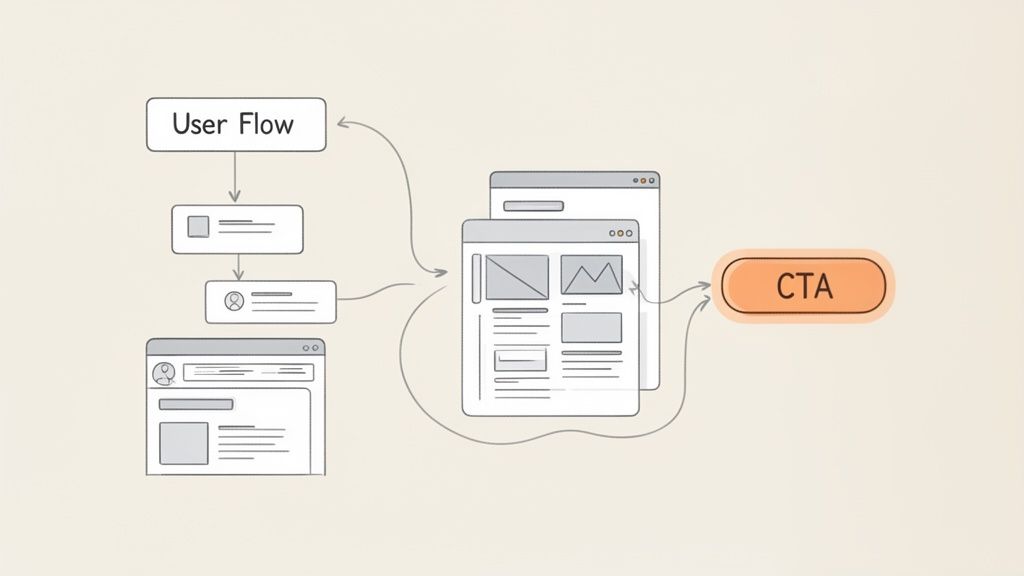
User flows dig a little deeper. They chart the specific steps a person would take to get something done, like signing up for a free trial or buying a product. This forces you to walk in your user's shoes, thinking through every click and decision to spot potential roadblocks before they’re built.
These documents are non-negotiable because they:
Establish a clear hierarchy: They force you to decide what content is most important and where it should live.
Define the navigation: They become the foundation for your main menu and how pages link together.
Get everyone on the same page: They give designers, developers, and stakeholders a clear, visual plan to rally around.
From Blueprint to Clickable Mockup
Once the sitemap and user flows get the green light, it's time to create the visual blueprints. This is where wireframes and prototypes enter the picture. They are absolutely essential for testing ideas before you sink a ton of time and money into development.
A wireframe is a simple, black-and-white sketch of a webpage. It’s all about structure and layout—where the buttons go, where the text sits, where the images will be. It purposely leaves out all the fancy design elements so you can focus purely on function and usability.
A wireframe answers one simple question: "What goes where?" It's the skeleton of your site, letting you get quick feedback on the core layout before anyone gets attached to a color scheme.
After wireframing, we move on to prototyping. A prototype is a clickable, interactive mockup that feels like the real website. It might still look rough, but it lets everyone click through the user flows and test the navigation firsthand. This feedback is priceless for catching awkward moments and fixing usability problems early on.
This entire UX design phase is a cornerstone of any successful project. To see how these steps fit into the bigger picture, check out our guide on the complete product design process. By putting in the work to map the journey and build solid blueprints, you ensure the final website isn’t just a pretty face—it's a powerful tool built to turn visitors into loyal customers.
Bringing Your Website to Life with Development
Alright, this is where the rubber meets the road. All those ideas, strategies, and beautiful mockups finally get turned into a real, working website. The development phase is all about writing the code that breathes life into the designs, creating the interactive experience your visitors will have.
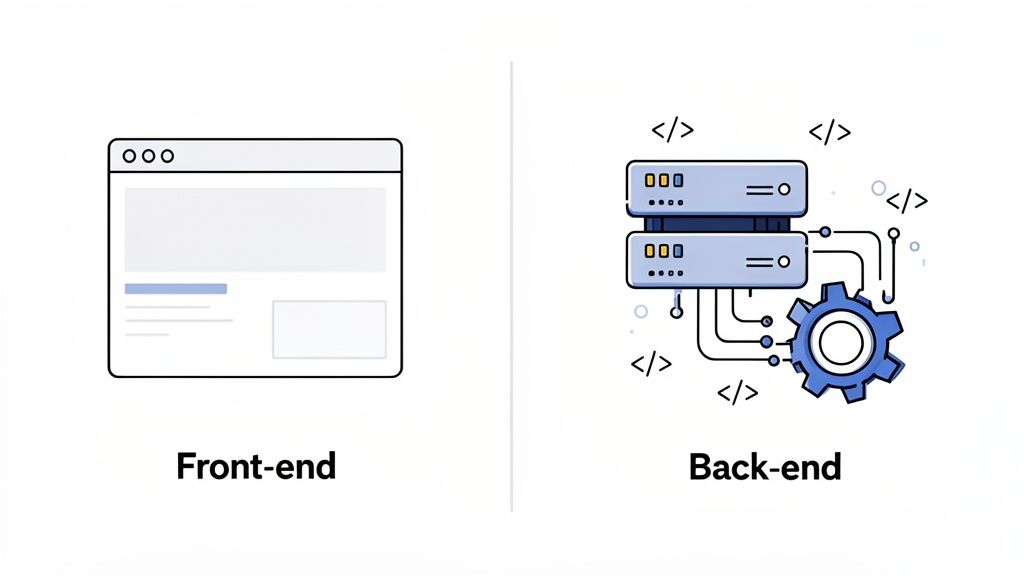
The easiest way to think about it is to picture a new building. The construction work is split into two core jobs that have to work together perfectly: what people see (the front-end) and what they don't (the back-end). Each requires a totally different skillset.
The Front-End: What Your Users See
Front-end development, sometimes called "client-side" development, is everything your users see and touch in their web browser. Think of it as the paint on the walls, the furniture in the rooms, and the signs that help people find their way around the building.
The whole point here is to take the static design files and turn them into a living, breathing, clickable interface. Developers use a core trio of languages to make this happen:
HTML (HyperText Markup Language): This is the basic skeleton of your website. It structures all the content, like headings, paragraphs, and images.
CSS (Cascading Style Sheets): This language handles the looks—the colors, fonts, layouts, and animations. CSS is what makes your site feel polished and on-brand.
JavaScript: This is where the magic happens. JavaScript adds all the interactivity, powering everything from dropdown menus and contact forms to complex user dashboards.
Most modern front-end work also leans on frameworks like React or Vue.js. These tools help developers build complex interfaces much faster and make sure the site runs smoothly. A great front-end ensures your site not only looks fantastic but is also snappy and easy to use on any device, from a giant monitor to a tiny phone.
The Back-End: The Engine Room
If the front-end is what everyone sees, the back-end is the hidden infrastructure that makes it all work—the plumbing, the electrical grid, and the foundation. This is the "server-side" of your website, and it manages everything that happens behind the scenes.
The back-end is where all the site's logic lives. It takes care of things like storing data securely, managing user accounts, and processing payments. When someone fills out your contact form, for instance, it's the back-end that grabs that information, checks it, and saves it to a database.
The back-end is the brain of your website. It processes requests, manages data, and ensures all the interactive features on the front-end have the power they need to function correctly and securely.
Back-end developers use languages like Node.js, Python, or PHP and work with databases like PostgreSQL or MySQL. They're also the ones who build the content management system (CMS) that lets your team update website content without having to call a developer.
Writing Clean Code and Integrating Systems
A huge part of a successful website development process is writing clean, scalable code. It's just like using quality materials and following a detailed blueprint for a building. Code that's well-organized is way easier to fix, update, and add to later on, which saves a ton of headaches and money in the long run.
This phase is also when we connect your website to other critical business tools. For example, we can link your website's forms directly to your CRM, so new leads automatically flow to your sales team. This kind of seamless integration turns your website from a simple brochure into a powerful, active part of how your business runs.
Stage 6 & 7: Flawless Launch & Ongoing Growth
After all the hard work in strategy, design, and development, your new website is finally ready for the spotlight. It's an exciting moment, but hold off on the champagne just yet. The final phase before launch—Quality Assurance (QA)—is arguably the most important. This isn't just about a quick spell-check; it's a meticulous, top-to-bottom inspection to ensure every piece of your website works exactly as it should for every single visitor.
Think of it as the final dress rehearsal before opening night. You wouldn't launch a Broadway show without running through every line, testing every light, and making sure every prop is in place. Rushing this stage is a rookie mistake that can lead to broken links, forms that go nowhere, and a terrible first impression that sends potential customers running.
The Art of Quality Assurance Testing
Great QA is more than just clicking around. It's a structured process that looks at the website from multiple angles to hunt down and squash any bugs, errors, or hiccups before a real user ever finds them. This is how you guarantee a smooth, professional experience from day one.
Our QA process is comprehensive, covering several key areas of testing:
Functionality Testing: We push every button, follow every link, and fill out every form. Does everything do what it's supposed to? No dead ends, no error messages.
Compatibility Testing: How does the site look on Chrome versus Safari? On an iPhone versus a large desktop monitor? It has to be pixel-perfect and fully functional everywhere.
Performance Testing: We test for speed. A slow-loading site is a conversion killer, so we analyze load times and optimize every element to make sure it's lightning-fast.
Usability Testing: Is the site genuinely easy to use? We put ourselves in the user's shoes to make sure the navigation and flows we designed earlier feel intuitive in the real world.
At Shalev Agency, we see QA as non-negotiable. One broken "Book a Demo" button can mean thousands in lost opportunities. A rigorous testing phase isn't just a best practice; it's an insurance policy on your entire investment.
Your Pre-Launch Checklist
To make sure nothing gets missed in the final push, we live by a pre-launch checklist. It turns a potentially chaotic launch day into a calm, controlled process, ensuring every single detail is checked, double-checked, and signed off on.
A solid checklist is the key to a stress-free launch. Here are a few must-have items we always cover:
Final Content Sweep: Proofread all copy one last time for typos and grammar. Are all images high-quality and properly compressed for the web?
SEO Foundations: Check that every page has a unique title tag and meta description. We also make sure the XML sitemap is generated and ready for Google.
Analytics & Tracking: Is Google Analytics installed correctly? Are marketing pixels firing as they should? We need to know that data is being captured from the second it goes live.
Form Submission Tests: We submit every single form on the site to confirm that notifications go to the right people and the data is stored properly.
Backup Plan: We take a full backup of the website right before deployment. It's a simple safety net that can save the day if anything unexpected happens.
Before you give the final green light, it's crucial to have a comprehensive quality assurance plan. This checklist is a great starting point for making sure you've covered all your bases.
Pre-Launch Quality Assurance Checklist
A checklist of essential testing areas to cover before your website goes live, ensuring a flawless user experience from day one.
Testing Category | Key Checks To Perform | Common Pitfall To Avoid |
|---|---|---|
Cross-Browser Testing | Render and function test on latest versions of Chrome, Safari, Firefox, and Edge. Check on both desktop and mobile. | Only testing on one browser (e.g., Chrome) and assuming it works everywhere else. |
Responsive Design | Test on common device breakpoints (e.g., iPhone, iPad, large desktop). Check for text wrapping and image scaling issues. | Forgetting to test in both portrait and landscape modes on mobile devices. |
Functional Integrity | Click all links, buttons, and navigation items. Test all forms, search bars, and interactive elements. | Assuming a feature works because it looks correct; it must be interacted with to confirm functionality. |
Content & SEO | Proofread all static and dynamic content. Verify title tags, meta descriptions, and alt text for images are in place. | Not checking dynamically loaded content (like blog posts or product details) for errors. |
Performance | Run speed tests using tools like Google PageSpeed Insights. Check image optimization and server response time. | Focusing only on homepage speed and neglecting the performance of deeper, more complex pages. |
Security & Forms | Test form submissions and email notifications. Check for basic security headers and HTTPS implementation. | Not confirming where form data is being sent or if the auto-responder emails are actually being delivered. |
This systematic approach ensures that when you do finally flip the switch, you can be confident that you're presenting a polished, professional, and reliable digital experience to the world.
Life After Launch: Ongoing Maintenance
Here’s a secret: launching a website isn't the finish line. It's the starting line.
A great website is a living asset, not a static brochure you print once and forget about. To stay effective, secure, and relevant, it needs consistent care long after it goes live. Without a proper maintenance plan, your site's performance will slowly degrade, security holes will pop up, and its power to drive results will fade.
Ongoing maintenance is all about protecting your investment. This means regular software updates, security scans to keep threats out, performance monitoring, and consistent backups. It also involves optimization. For more on that, our guide on how to improve website conversion rates dives into practical strategies for continuous improvement.
Ultimately, a structured approach to testing, a detailed launch plan, and a real commitment to ongoing maintenance are what set a professional website apart. This final stage of the website development process ensures your digital presence not only starts strong but stays that way.
Stepping Around Common Web Development Traps
Even the best-laid plans can go sideways. A web development project, with all its moving parts, is no exception. Knowing where the common landmines are hidden is the single best way to keep your project moving smoothly, on budget, and free from those painful last-minute fire drills.
Most big problems start as small oversights that quietly grow into massive headaches. By getting ahead of these issues, you can build in safeguards that pave the way for a much smoother ride from kickoff to launch. Let’s walk through the traps we see most often and how to sidestep them.
The Slow Poison of Scope Creep
If there’s one thing that can quietly sabotage a project, it’s scope creep. It almost always starts with a simple request: “Can we just add this one little feature? It’ll be easy.” Then comes another, and another. Before you know it, those "small" additions have completely blown up your timeline and budget.
The key is to treat your initial project scope—the one hammered out during Discovery—as your project's constitution. This doesn't mean you can't be flexible, but it does mean every new idea needs a formal reality check. Create a process to evaluate how any proposed change impacts time, money, and resources. It’s not about shutting down good ideas; it’s about making smart, conscious decisions instead of reactive ones.
When Communication Fails
Chaos is guaranteed when designers, developers, and project managers work in their own little bubbles. You see it all the time: a designer hands over a gorgeous mockup that’s a nightmare to actually build, or the marketing team dreams up a new user journey that the backend architecture can't support. This friction leads to endless rework and frustration.
Think of communication as the engine oil of your project. Without it, the gears will grind, things will break, and everything will eventually seize up. A project without constant, clear dialogue is a project doomed to fail.
The fix is simple but requires discipline. Set up a central hub for all project information, whether it’s a Notion workspace or an Asana board. Combine that with regular, all-hands-on-deck syncs. When everyone knows what everyone else is doing, you can spot roadblocks a mile away.
The "We'll Do It Later" Mistake: SEO & Mobile Design
Two of the most costly mistakes are treating SEO like a last-minute task and designing for big screens first. Let's be clear: today, nearly 60% of all website traffic comes from a phone. If your site isn't designed for a mobile experience from the very beginning, you're building a faulty foundation and ignoring the majority of your users. A mobile-first mindset forces you to perfect the core experience on a small screen before expanding it for desktops.
In the same vein, SEO isn't just something you "add" before launch. It has to be woven into the fabric of the project. It starts with keyword research during the strategy phase, informs the site architecture in the design phase, and dictates technical details like HTML tags during development. Trying to bolt on SEO at the end is like trying to add a foundation to a house that's already been built—it's messy, expensive, and never works as well.
Answering Your Biggest Web Development Questions
If you're a marketing leader, product manager, or founder, you've probably got a lot of questions about what it really takes to build a website. It’s a big investment of time and money, so let’s clear up a few of the most common questions we hear.
How Long Does This Actually Take?
This is the classic "it depends" question, but I can give you some real-world benchmarks. The timeline is all about complexity.
For a straightforward marketing site with a few key pages, you're likely looking at 4 to 8 weeks from the first meeting to flipping the switch. But if you're building a custom web application with e-commerce, user accounts, and a bunch of third-party integrations, that timeline can easily stretch to 6 months or more. The discovery phase is where we nail down a realistic schedule based on exactly what you need to build.
What’s the Real Difference Between UX and UI?
People throw these terms around all the time, often mixing them up. But they are two very different, very important jobs.
Think of UX (User Experience) as the architecture of a house. It’s the blueprint—the logic, the flow, how you move from the kitchen to the living room without bumping into walls. UX is all about making the entire journey feel natural and effortless.
UI (User Interface) is the interior design. It’s the paint colors, the furniture, the light fixtures. It’s everything you see and touch, like the buttons, the fonts, and the icons. You can't have a great house with just one; you need a solid foundation (UX) and a beautiful finish (UI) to make it a place people want to be.
Here's a great analogy: Imagine a ketchup bottle. UX is the insight that led to making it a squeezable, upside-down bottle so you don't have to smack the bottom of it forever. UI is the cool label and the iconic shape of the bottle itself. You need both to sell some ketchup.
What’s a Realistic Budget for a Website?
Just like timelines, costs can be all over the map depending on what you're building. A simple site using an off-the-shelf template might only set you back a few thousand dollars.
On the other end of the spectrum, a fully custom website with a unique design, complex features, and deep software integrations can run anywhere from $25,000 to well over $100,000. The biggest factors driving the price are the amount of custom design work, e-commerce functionality, and connections to other tools like your CRM or marketing automation platform. We can only give you a truly accurate number once we’ve gone through discovery and defined the entire scope.
Ready to build a website that doesn't just look good, but actually gets results? At Shalev Agency, we partner with teams like yours to turn ideas into polished, conversion-focused digital experiences. Learn how we can help you ship faster and scale smarter.