Discover how AI automation for businesses can transform your workflows. Learn to identify high-impact projects, select tools, and prove ROI for real growth.
Jan 11, 2026
So, what do we actually mean when we talk about AI automation in a business context? It’s not about just plugging in a fancy new tool. It's about combining artificial intelligence with classic automation to build systems that can think, adapt, and even make decisions. This is how you move beyond simple, repetitive tasks and start tackling complex workflows that can genuinely save time, cut costs, and drive real revenue.
Moving Beyond Hype to High-Impact AI Automation
Let's cut through the noise. The real conversation around AI automation for businesses isn't about sci-fi robots; it's about making tangible, measurable improvements to how you work right now. It’s surprising how many companies own a suite of AI tools but haven't truly wired them into their operations to get meaningful results.
This guide is designed to get past the hype. We’re going to show you how startups and product teams are actually using AI to ship faster, improve conversions, and untangle critical workflows. The goal is a practical one: find those repetitive, soul-crushing tasks and turn them into smart, automated systems that directly boost your bottom line.
The Adoption Versus Maturity Gap
One of the biggest hurdles I see teams face is the gap between adopting AI and actually getting good at using it. The headlines make it seem like every company is an AI powerhouse, but the data paints a different picture.
AI adoption has certainly jumped to 72%, a huge leap from the 50% it hovered at between 2020 and 2023. But here's the kicker: only a tiny 1% of companies have reached full AI maturity, where it’s a core, integrated part of their strategy. You can dig into more of these AI enterprise adoption trends on codewave.com.
This disconnect shows that just having the tools isn't enough. The real win comes from closing that gap—moving from scattered, one-off uses to a strategic, high-impact approach.
The most successful teams view AI not just as a piece of tech, but as a core driver of business performance. It’s a shift from asking "What can this tool do?" to "What business problem can this tool solve?"
Focusing on Strategic Wins
To get real results, you have to know the difference between a low-effort tactical automation and a high-value strategic one. Both can be useful, but putting your energy into the strategic wins is what unlocks serious growth and efficiency.
To make this crystal clear, here’s a quick breakdown of how these two approaches differ.
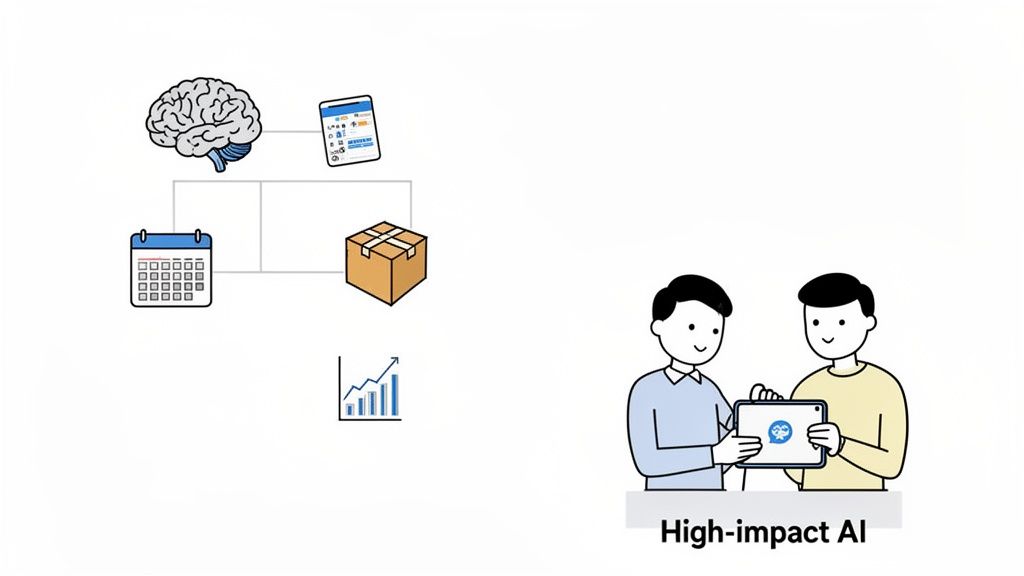
High-Impact vs. Low-Impact AI Automation
Attribute | High-Impact AI Automation (Strategic) | Low-Impact AI Automation (Tactical) |
|---|---|---|
Focus | Core business processes (e.g., lead qualification, customer onboarding) | Individual, isolated tasks (e.g., summarizing notes, drafting posts) |
Goal | Solve complex problems tied directly to revenue or major cost centers. | Improve personal productivity or save a few hours on a small task. |
Complexity | Often involves multiple systems, data sources, and conditional logic. | Simple, linear workflow, usually within a single application. |
ROI | High and directly measurable (e.g., increased conversion rates, reduced churn). | Low and often hard to quantify (e.g., "time saved"). |
Example | An AI that analyzes support tickets, identifies churn risks, and triggers a retention workflow. | An AI that helps a support agent write a response email faster. |
Think about it this way: a marketing team could use a tactical AI to brainstorm a few blog post ideas. That's fine. It saves a writer some time.
A strategic approach, on the other hand, would be to build an automated system that analyzes customer behavior data, pinpoints users showing high-intent signals, and then triggers a personalized email sequence to guide them toward a purchase.
The first example saves a few hours of work. The second one directly fuels the sales pipeline. By consciously focusing on these high-impact applications, you ensure that your investment in AI automation for businesses delivers a clear, undeniable return.
How to Find Your First High-Value Automation Projects
Jumping into AI automation without a clear target is like sailing without a map. I've seen it happen time and again: the real starting point for any successful project isn't the tech, it's the specific business problem you’re trying to solve.
Forget trying to boil the ocean. The goal here is to find a quick, high-impact win. This first success builds momentum and proves the value of AI automation for businesses to everyone, from your team to the C-suite.
The best opportunities are almost always hiding in plain sight, disguised as the boring, repetitive tasks that drain your team's energy. These are the little frictions that, when added up, become a huge cost in both time and morale. Think about the work that nobody wants to do—that's usually your goldmine.
Start with a Simple Workflow Audit
Before you can automate anything, you have to understand it inside and out. A workflow audit doesn’t need to be some massive, formal undertaking. Honestly, it can be as simple as asking your team one critical question:
"What's the most annoying, repetitive part of your day?"
The answers will lead you straight to your best candidates for automation. You're looking for processes with a few key ingredients:
High Volume and Repetition: Is this a task someone does over and over, every single day or week? The more frequent it is, the bigger the potential time savings.
Rule-Based Logic: Does the process follow a clear set of "if this, then that" rules? Even if there are a lot of rules, as long as they can be defined, an AI can learn them.
Manual Data Entry or Transfer: This is a big one. Any workflow that involves copying info from one system (like an email) and pasting it into another (like a CRM) is a perfect opportunity. This is exactly where human error loves to creep in.
A perfect example comes from a marketing team I worked with. They were spending hours each week manually exporting lead data from a webinar platform, cleaning it up in a spreadsheet, and then importing it into their CRM. This is a classic high-value, low-complexity project. It's repetitive, it's rule-based, and it's all about manual data transfer. Automating it was a guaranteed win.
The Impact vs. Complexity Matrix
Once you have a list of potential projects, you have to prioritize. Not all automations are created equal. Some will give you a massive return with very little effort, while others could take months to build for only a small gain.
A simple way to rank your options is by plotting them on an impact versus complexity matrix.
Think of it this way: You're looking for the projects that fall into the "High Impact, Low Complexity" quadrant. These are your quick wins—the projects that will deliver tangible results fast and get everyone excited about what's possible.
Here’s how to think about each axis:
Impact: How much value will this automation create? You can measure this in hours saved, revenue generated, errors reduced, or even customer satisfaction.
Complexity: How difficult will this be to build? Think about the number of systems involved, the quality of the data you have, and the technical skills required.
Let's look at two real-world scenarios for a product team.
Project A (High Impact, Low Complexity): Automatically tag and categorize all incoming user feedback from sources like Intercom, App Store reviews, and surveys. An AI can analyze the sentiment and content, applying tags like "bug," "feature request," or "UI issue," and then push a summary to a dedicated Slack channel. This saves the product manager hours of manual sorting and ensures no critical feedback gets missed.
Project B (High Impact, High Complexity): Build a predictive AI model that analyzes user behavior to forecast churn risk with 95% accuracy and automatically triggers a personalized retention campaign. While incredibly valuable, this requires clean historical data, data science expertise, and deep integration with multiple systems. This is a project for later, after you have some wins under your belt.
Starting with Project A builds confidence and frees up the time your team needs to eventually tackle something big like Project B. You can get a better handle on the fundamentals by exploring what workflow automation is and seeing how it lays the groundwork for these more advanced systems.
A Checklist for Prioritizing Your First Project
To make your decision even clearer, run your top candidates through this simple checklist. The more "yes" answers a project gets, the better it is for your first go.
Does this task happen at least daily or weekly?
Does it involve moving data between two or more applications?
Is the process well-documented or at least easily explainable?
Can you clearly measure the "before" and "after" (e.g., time spent)?
Is the data involved structured and consistent?
Would automating it free up at least 5 hours per week for the team?
Does the process directly impact customer experience or revenue?
By systematically finding, auditing, and prioritizing your workflows, you set yourself up for a successful first project. That initial victory is crucial—it's the proof point that turns skepticism into support and unlocks the budget you need for more ambitious AI automation for businesses down the road.
Designing Your First AI Automation Workflow
So, you’ve picked a high-value project. Now for the fun part: rolling up your sleeves and actually designing the thing. This is where the big idea of "AI automation" turns into a real, working system in your business. And don't worry, it’s less about writing complex code and more about cleverly connecting the tools you already use every day.
The secret is to start small. You don't need some massive, custom-built platform right out of the gate. In my experience, the most powerful automations are often built on a simple pattern: a central AI "brain" that connects and directs traffic between your existing apps.
The whole process really boils down to three key stages: auditing what you're currently doing, prioritizing the best opportunities for automation, and then launching your first build.
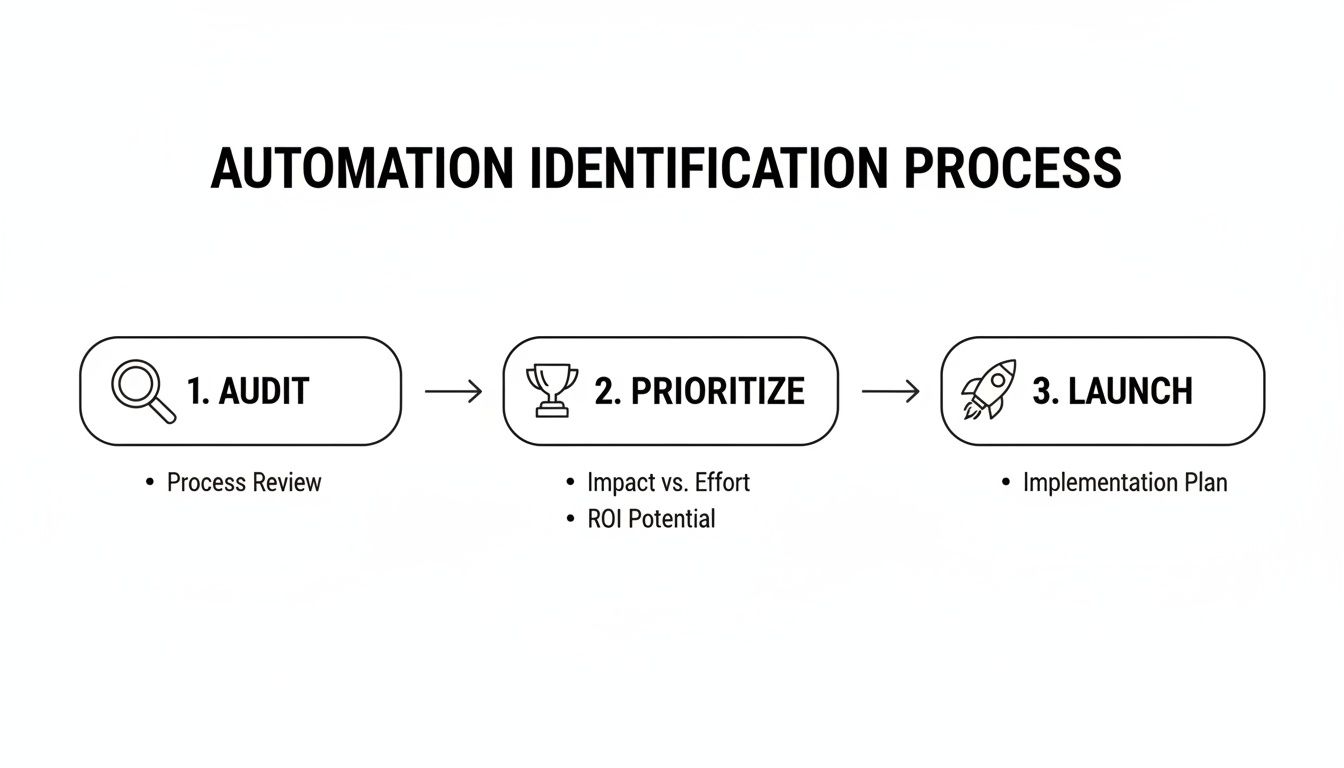
Following this simple Audit, Prioritize, Launch framework keeps you focused. It ensures you're working on projects that will deliver a real, measurable win from day one, rather than just automating for the sake of it.
Choosing Your Automation Toolkit
Your first big decision is how you're going to build this. Generally, you've got two main paths: no-code platforms or a custom-coded approach. Each has its pros and cons, and the right choice really hinges on your team's skills, your budget, and how complex the task is.
For most teams just getting started, no-code is absolutely the way to go.
No-Code Platforms (Zapier, Make): Think of these tools as the universal glue of the internet. They let you link thousands of different apps with a simple drag-and-drop interface. You can build incredibly sophisticated workflows without a single line of code, which is a game-changer for marketing, operations, and product folks.
Custom/Low-Code Solutions: If you're tackling something highly complex or proprietary, you might need a developer to write custom scripts or use a low-code platform. This gives you more power and flexibility, but it also means a bigger investment in time and money.
When you're designing your first workflow, looking into a no-code backend AI can seriously speed things up, putting advanced AI within reach without needing a full-stack developer. But honestly, for that very first project? Just stick with a tool like Zapier. It's perfect for testing ideas quickly and proving the value before you commit to anything more complicated.
A Practical Design Pattern: The AI Hub and Spoke Model
A simple but incredibly effective way to structure your automation is what I call the "Hub and Spoke" model. It's a great mental framework to keep things organized.
Picture a large language model (LLM) like OpenAI's GPT-4 or Anthropic's Claude as the central hub of a wheel. All your other applications—Slack, Notion, your CRM, your helpdesk—are the spokes. Information flows from the spokes into the AI hub for processing, and the AI then sends commands back out to the spokes.
This pattern is shockingly versatile. The AI hub can do things like:
Classification: Read an incoming email and instantly decide if it's a sales lead, a support ticket, or just junk.
Summarization: Take a long, rambling customer feedback thread and boil it down to a concise summary for your product team.
Data Extraction: Pull key details like names, companies, and phone numbers out of a messy block of text.
Routing: Figure out exactly which person or department needs to handle a specific request based on its content.
The real beauty here is how simple and scalable it is. You can start with just two or three spokes and easily add more as your needs grow. If you want to see this in action, our guide on how to integrate an AI agent with your CRM system breaks down a similar concept.
Example: Building an AI Customer Support Triage Agent
Let's make this real. Imagine you want to automate how you handle incoming support tickets from your website's contact form. Right now, a support manager probably spends hours every single day reading each ticket, guessing its urgency, and assigning it to the right person. It's tedious, slow, and easy to mess up.
Here’s how you could build an AI automation for this using the Hub and Spoke model with Zapier.
The Workflow Blueprint
Step | Application (Spoke) | Action | AI (Hub) Function |
|---|---|---|---|
1. Trigger | Webflow Forms | A new support ticket is submitted. | N/A |
2. Triage | OpenAI (GPT-4) | The AI analyzes the ticket's text. | Classification & Extraction: Determines urgency (Low, Medium, High) and category (Billing, Technical, Bug). Extracts the customer's email. |
3. Create Record | Notion | A new entry is created in the Support Tickets database with all the details. | N/A |
4. Notify Team | Slack | A message is sent to the right channel ( | Routing: Decides which channel to post in based on the ticket's category. |
5. Assign | Asana/Jira | A new task is created and assigned to the on-call agent for that category. | N/A |
You could build this entire workflow in a single afternoon without writing any code. Just like that, you've turned a manual bottleneck into a lightning-fast, intelligent system. Your support manager is now free to tackle high-level escalations, and the team can jump on urgent issues way faster. This is a perfect first project: high impact, low complexity, and it delivers obvious results right away.
Measuring Success and Proving ROI
Building an AI automation without a way to measure it is just a fun science experiment. If you want to get buy-in for more projects, you have to prove its worth in the only language the business really speaks: results. This means moving past fuzzy metrics and connecting every single project to a concrete business outcome.
An automation is only a real win if you can measure its impact. We're not just talking about counting how many tasks you automated. We're talking about quantifying the real-world benefits that came from it. Before you even think about going live, you need a crystal-clear definition of what "success" actually looks like.
Defining Metrics That Actually Matter
Think of your success metrics as your project's North Star. You have to get way more specific than "improve efficiency." What, exactly, are you improving, and by how much?
First things first, you need a baseline. How does the process work right now, before your automation touches anything? You need this "before" picture to paint a compelling "after" story.
Let's get practical. Here are the kinds of metrics that get leadership's attention:
Time Savings: Calculate the actual hours saved per week or month. If your new AI agent saves a support manager one hour of manual triage every day, that’s 20 hours saved per month. That's half a week of their time back.
Speed and Responsiveness: Look at the reduction in customer response time or how quickly you can follow up with a new lead. Shaving hours—or even days—off these cycles directly impacts customer happiness and your ability to close deals.
Revenue and Lead Generation: This is where things get exciting. Track the increase in sales-qualified leads (SQLs) from an automated qualification bot, or a higher conversion rate because of personalized AI interactions on your site.
Error Reduction: Quantify the decrease in human errors in things like data entry or order processing. You can see this in fewer support tickets, lower product return rates, or even reduced compliance risks.
The real trick is to tie your automation directly to a Key Performance Indicator (KPI) that your leadership team already obsesses over. An automation that bumps SQLs by 15% is a massive win; one that just "automated 500 tasks" is a footnote.
Calculating a Simple ROI Framework
You don't need a finance degree to figure out the Return on Investment (ROI) for your AI automation for businesses. A simple framework is all it takes to show the value and justify what you spent on tools and time.
Start by adding up your total investment. This includes two main things:
Software Costs: What you pay monthly or annually for tools like Zapier, Make, or your OpenAI API usage.
Implementation Time: The hours your team spent designing, building, and testing the automation, multiplied by their hourly cost.
Next, you quantify the return, which is where those success metrics come into play. Let's use that time-saving example from earlier:
Hours Saved: 20 hours per month
Average Team Member Hourly Cost: $50
Monthly Savings: 20 hours * $50/hour = $1,000
Now you can put it all together. If your software costs are $100/month and it took 10 hours to build (a one-time cost of $500), your first-month ROI is already looking pretty great. This simple math turns a cool tech project into an undeniable business case.
Once you have these numbers, visualizing them is key. For some great ideas on this, check out our guide on dashboard design best practices.
The Challenge of Proving Value
While the potential for AI is massive, proving its value is a huge hurdle for many companies. Enterprise AI spending is growing, but it's also facing a ton of scrutiny.
It’s actually pretty shocking: over 50% of companies say they're getting no measurable value from their AI investments yet, and only 12% of CEOs are seeing real results. The AI hype train is slowing down, forcing everyone to get serious about governance and tangible outcomes.
This new reality just hammers home the need for continuous monitoring. Your job isn’t finished at launch. You have to keep an eye on your chosen metrics over time to make sure the automation keeps working as it should and delivers value long after the initial excitement wears off.
Scaling AI Automation Across Your Business
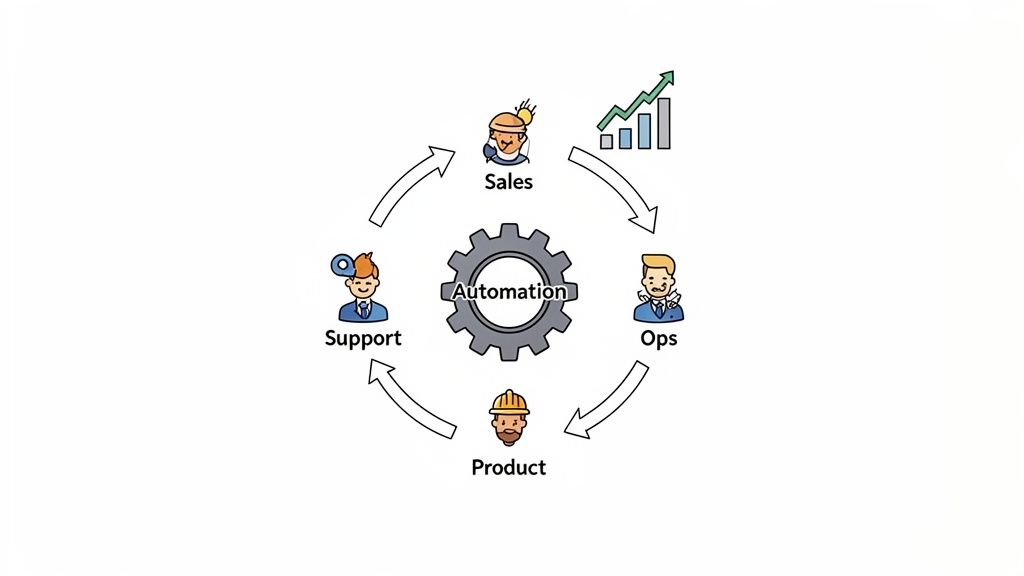
Getting one automation across the finish line feels great, but the real magic happens when you scale those wins across the entire company. This is where you graduate from one-off projects to building a genuine, cohesive automation program that fundamentally changes how you work.
The leap from a single success to a scaled system is where most teams get stuck. The trick is to think of it like building a flywheel. Each new automation should make the next one easier, faster, and more powerful to create.
Building an Automation Center of Excellence
Once you’ve built a few automations, you'll start noticing patterns. The logic for routing sales leads might look suspiciously similar to the system that triages support tickets. Instead of reinventing the wheel every time, you need a central hub to store your best practices—something often called a Center of Excellence (CoE).
This doesn't have to be some stuffy, formal department. Seriously, it can start as a shared Notion page or a simple Git repository. The point is to document what works.
Your CoE should house a few key things:
Reusable Components: Store pre-built modules or templates. For instance, a "Sentiment Analysis" component you perfected can be picked up and used by marketing, product, and support teams.
Best Practices: Document everything. I mean everything—from how you name variables in Make to the specific LLM prompts that deliver the best summaries of customer feedback.
Success Stories: You have to showcase the wins. When an automation saves the finance team 15 hours a week, write it up and share it. This builds momentum and gets other departments leaning in, asking, "How can we do that?"
Centralizing this knowledge cuts down on redundant work and massively accelerates future projects. You're basically creating a shared library of automation intelligence that the whole company can tap into.
Establishing Clear Governance and Guardrails
As automation begins to spread, you absolutely need a plan to manage it. Without some basic guardrails, you risk creating a tangled mess of undocumented workflows, potential data leaks, and critical automations that break without anyone noticing.
Governance isn't about slowing people down; it's about helping everyone move forward safely and confidently. It provides the structure you need to scale responsibly.
Your governance plan should be a living document, not a stone tablet. Start with the essentials and add more detail as your automation program matures. It’s about enabling your team, not restricting them.
At the beginning, your governance plan should cover a few non-negotiables:
Ownership: Who is on the hook for an automation once it's live? If it breaks at 2 a.m., who gets the alert? Every single workflow needs a clear owner.
Security: How are you handling sensitive data like PII or financial info? You need to define access controls and make sure you're meeting compliance standards from day one.
Monitoring and Maintenance: How do you know if it's even working? Set up alerts for failures and schedule regular check-ins to make sure your automations are still doing what they're supposed to.
Putting these rules in place early saves you from massive headaches later on and builds trust in the entire program.
Cultivating a Culture of Automation
Ultimately, you want to get to a place where everyone in the company is actively looking for automation opportunities. You want your team to constantly be asking, "Could a machine be doing this?"
To get there, you have to democratize both the tools and the knowledge. Host casual lunch-and-learns to show non-technical folks how to build simple workflows with no-code platforms. Create a dedicated Slack channel where people can throw out ideas and ask for help.
When your team sees how AI automation for businesses can eliminate the most mind-numbing parts of their jobs, they become your biggest champions. This kind of grassroots adoption is way more powerful than any top-down mandate. It transforms scaling from a purely technical challenge into a cultural movement.
Interestingly, geographic differences in adoption show just how big the opportunity is. One recent study found that only 16% of UK businesses use at least one AI tool, a stark contrast to the global average of 88%. This points to a huge untapped market where companies can leapfrog common hurdles. You can discover more insights about AI adoption stats on intuition.com.
Scaling effectively is about so much more than the tech stack. It's a strategic mix of shared best practices, clear governance, and a culture that empowers every single person to contribute. Get that right, and your automation efforts will do more than just add value—they'll create a durable competitive advantage.
Common Questions About AI Automation for Businesses
Jumping into AI automation always brings up a ton of questions. The field moves so fast, and it's easy to get lost in the weeds or fall for common myths. Let's clear the air and tackle the questions I hear most often from businesses, so you can move forward with confidence.
The truth is, implementing AI automation is more straightforward than ever, but you have to know where to start—and what pitfalls to sidestep.
How Much Technical Skill Do I Really Need?
Honestly, you need surprisingly little to get started. The days when automation demanded a full-blown development team are over. Thanks to modern no-code platforms like Zapier or Make, you can build incredibly powerful workflows just by connecting your apps through a simple, visual drag-and-drop interface.
These tools were built for business users, not just engineers. If you can think through a process logically—"when X happens in this app, then do Y in that app"—you have what it takes to build an automation. Sure, for highly specialized or complex tasks, you might need a developer's help. But a huge number of high-impact automations can be built without writing a single line of code.
What Is the Biggest Mistake to Avoid?
The single biggest mistake I see, time and time again, is automating a broken process. AI is a powerful amplifier. If your manual workflow is messy, inefficient, or has steps that don't make sense, automating it just means you’ll make those same mistakes much, much faster.
Automation should never be your first move.
Always take the time to audit and clean up your manual process first. Fix the bottlenecks, clarify the steps, and make it as lean as possible with human effort alone. Then, and only then, do you bring in automation to make that great system run by itself.
How Do I Choose the Right First Project?
Your first project sets the stage for everything that follows, so picking the right one is critical. Resist the urge to solve your biggest, hairiest problem right out of the gate. Instead, start small and aim for a quick, undeniable win.
I always tell people to look for a task with these three traits:
Highly Repetitive: Think about the mind-numbing stuff a team member does over and over, every single day or week.
Rule-Based: The process follows a clear, predictable set of "if-then" logic. There's no guesswork involved.
Time-Consuming: It's a real time-sink, eating up hours that could be spent on much more valuable work.
A great first project is one where you can easily show the "before and after" impact, like saving 10 hours a week or cutting data entry errors to zero. A perfect example? Automatically routing new contact form submissions into your CRM and assigning them to the right person. Nailing a project like this builds momentum, quiets any skeptics, and makes it way easier to get buy-in for bigger, more ambitious projects down the road.
Ready to put these ideas into action? At Shalev Agency, we specialize in designing and building custom AI agents and workflows that get repetitive work off your team's plate. We help you find the best opportunities and deliver practical solutions that make a real difference.