Curious what is workflow automation? Learn with simple explanations and real examples, and see how it saves time, reduces errors, and scales your business.
Jan 11, 2026

Think of all the repetitive, manual tasks your team does every day. Workflow automation is simply about using smart software to handle those tasks for you. It's like building a digital assembly line where information and jobs move along on their own, without anyone needing to nudge them.
This one change can completely reshape how your business runs.
What Is Workflow Automation Explained Simply
Imagine you've set up a long line of dominoes. You do the hard, strategic work once—arranging them just right. Then, with a single tap, a perfect chain reaction unfolds. That’s the big idea behind what is workflow automation. It’s all about using software to link your business tools together and set up rules that manage those repetitive processes automatically.
Instead of your team manually copying customer info from a form to a spreadsheet, then emailing the sales team, the system just does it. This puts an end to mind-numbing data entry, stops important steps from being missed, and closes the communication gaps that secretly slow you down. For a deeper dive into the concept, this guide on What is Workflow Automation Explained for Agencies is a great resource.
This isn't some niche IT project anymore; it's how modern teams get work done efficiently. We're talking about coordinating entire processes like onboarding a new client, qualifying a sales lead, or pushing a new feature from concept to launch—all without the clumsy manual handoffs. The market shows just how essential this has become. Valued at over $20 billion in 2023, it's expected to nearly double by 2030 as more and more businesses get on board.
The Three Building Blocks of Automation
Every automated workflow, no matter how sophisticated it seems, is made from three basic parts. Once you get these, you'll start seeing opportunities for automation everywhere you look.
The real goal isn't just doing the same things faster. It's about freeing up your team's creativity and brainpower for the kind of problems software can't solve. Automation takes care of the predictable, so your people can handle the exceptional.
Here’s a quick breakdown of what makes up any automation.
The Three Building Blocks of Automation
Every automated workflow is built from these three simple components. Understanding them is the first step to seeing automation opportunities everywhere.
Component | What It Is | Simple Example |
|---|---|---|
Trigger | The specific event that kicks off the workflow. It's the "when this happens..." part of the equation. | A new customer submits a "Contact Us" form on your website. |
Action | The task or series of tasks the software performs after the trigger. It’s the "...do this" part. | The software automatically creates a new contact in your CRM. |
Condition | The "if/then" logic that adds decision-making. It lets the workflow adapt to different situations. | If the form says their company size is over 100 employees, then assign the lead to a senior salesperson. |
Learning to spot these triggers, actions, and conditions in your own daily processes is the first real step toward building a more efficient, automated business.
How Automation Connects Your Business Tools
Ever wonder how completely different apps like Slack, HubSpot, and Google Drive can talk to each other? You don't need to be a developer to get it. The magic ingredient is something called an API, which stands for Application Programming Interface.
Think of an API as a universal translator for software. It’s a set of rules that lets one program securely share information with another, even if they were built by different companies and for different purposes.
Automation platforms like Zapier or Make act as the central hub in this system. They're like a skilled diplomat who speaks every language, using APIs to connect all your separate tools. This allows you to create simple rules that tell your apps how to work together, all without you lifting a finger.
The logic behind every automated workflow is beautifully simple, and it breaks down into three core steps.
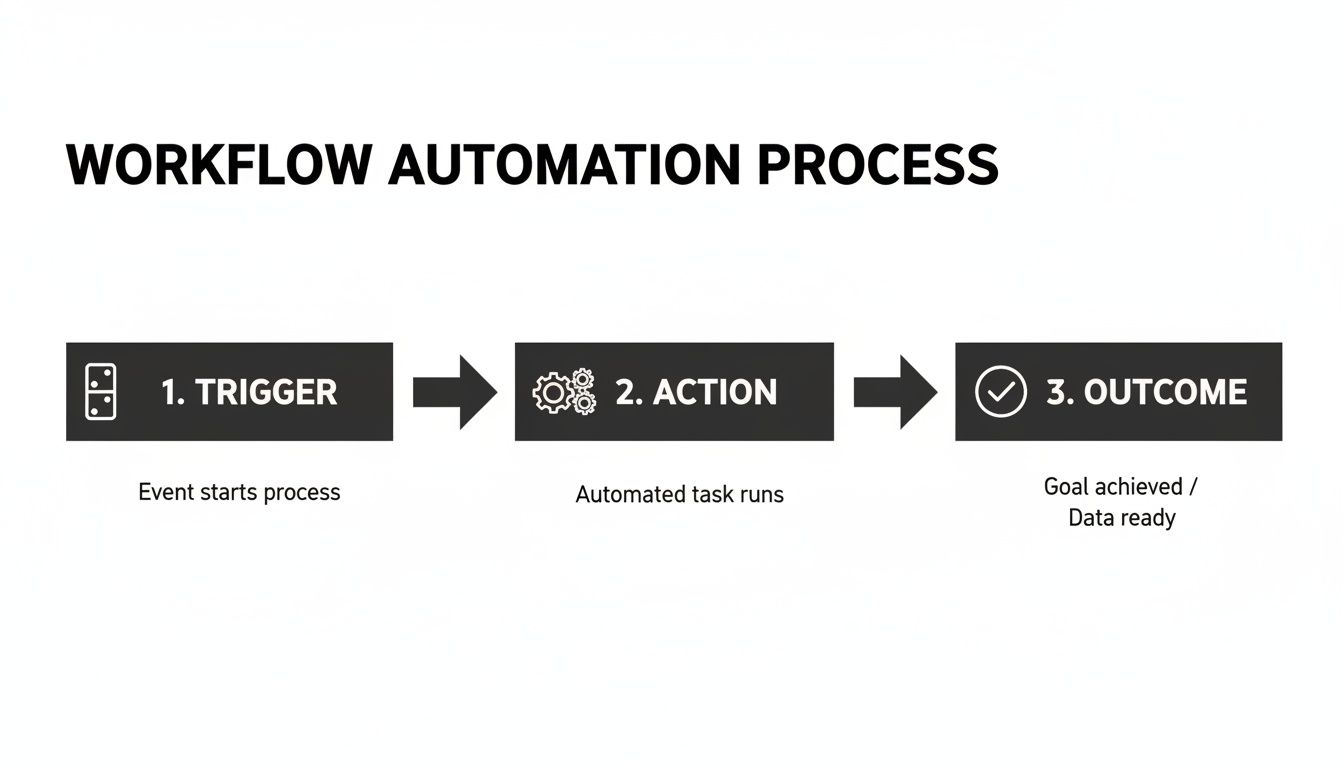
As you can see, it all starts with a single event—a trigger—that kicks off a series of pre-planned actions to deliver a reliable outcome.
Simple Rules Versus Smart Workflows
At its most basic, workflow automation follows a simple "if this, then that" rule. This is the foundation for countless little tasks that, when automated, save a massive amount of time.
If a new lead fills out a form on your website...
Then automatically create a new contact record in your CRM.
If a customer pays an invoice in Stripe...
Then automatically send them a "thank you" email.
These straightforward, linear workflows are perfect for getting rid of repetitive tasks. They’re easy to build and provide an immediate win by cutting down on manual data entry. But let's be honest, real business operations are rarely that simple. They're messy and full of exceptions, which is where more advanced logic comes in.
Workflow automation isn't just about moving faster; it's about being consistent. It guarantees the right steps happen in the right order, every single time, wiping out those "Oops, I forgot" moments that cost you real money.
More powerful workflows use conditional logic to make decisions on the fly. This lets a single automation handle multiple situations by checking specific details before it acts.
Let's look at that new lead example again, but with a smarter workflow:
Trigger: A new lead form is submitted.
Condition: If the lead's "Company Size" is over 100 employees...
Action 1: ...add them to the "Enterprise Sales" pipeline in HubSpot and ping the senior sales team on Slack.
Condition: Otherwise (if the company size is under 100)...
Action 2: ...add them to the "SMB Nurture" email sequence and assign the lead to a junior rep.
Getting a handle on these core concepts—APIs and conditional logic—is all you need to start seeing the connections between your own tools. Once you grasp this, you can begin mapping out exactly how to link your tech stack to solve your unique business problems.
The Real-World Benefits of Automating Workflows
Everyone knows automation saves time, but that's just scratching the surface. The real magic happens when you look deeper at how it impacts everything from team morale to your bottom line. It’s about building a business that runs like a well-oiled machine—smooth, consistent, and smart—even when you step away.
Think about it. For a marketing team, automation means a new lead gets a follow-up email in seconds, not hours, which can make or break a sale. In operations, it guarantees every new client receives the same stellar onboarding experience, completely wiping out human error. And for a product team, it can shoot critical user feedback from a support ticket straight into a developer's hands, closing the loop in minutes instead of days.
This is why automation isn't just a tech project anymore; it's a core business strategy.
Boosting Efficiency and Accuracy
Let's be honest, repetitive tasks aren't just boring—they're breeding grounds for mistakes. One wrong number in a spreadsheet or a forgotten follow-up can cause a world of pain down the line. Automation is your safety net.
By creating clear, rules-based systems, you make sure processes run the same way, perfectly, every single time. That consistency delivers some seriously powerful results across the board.
Slash Operational Errors: Automation can reduce manual data entry mistakes to almost zero, keeping your data clean and reliable.
Speed Up Turnaround Times: You can cut customer response times in half by automatically sending inquiries to the right person, right away.
Unlock Your Team's Potential: When you take tedious work off their plates, your people can finally focus on strategic projects that actually move the needle.
Gaining Smarter Business Insights
When you standardize your processes with automation, you get a fantastic side effect: clean, structured data. Every action is tracked, giving you a crystal-clear picture of how your business truly works. This isn't just nice to have; it's essential for making smart decisions. (We put these same ideas to work when building internal tools for IT and SaaS companies.)
This data-driven approach is also why CFOs are paying close attention. The workflow automation market is expected to explode from USD 23.77 billion in 2025 to a massive USD 78.6 billion by 2030. With over 80% of businesses planning to ramp up their automation spending, trying to run on spreadsheets and chaotic Slack messages will quickly put you at a disadvantage.
Ultimately, automation gives you the foundation to not only operate efficiently but to learn, adapt, and stay ahead of the competition.
Workflow Automation Examples You Can Use Today
Theory is great, but let's be honest—it’s the real-world examples that make a concept like workflow automation actually click. The best way to get it is to look at the messy, manual tasks your team is stuck doing every day and then imagine how a few simple "if-then" rules could change everything.
Here are a few practical examples you can borrow, adapt, or just use as a jumping-off point to spot opportunities in your own company. Each one takes a chaotic, error-prone chore and turns it into a smooth, reliable system that just works.
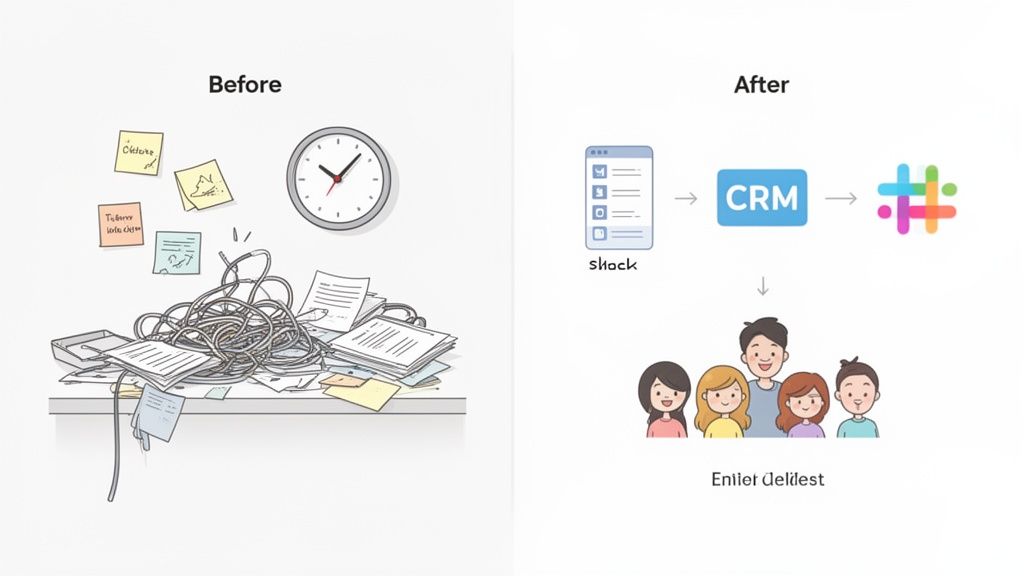
Marketing Lead Management
For marketing teams, the speed of lead follow-up can make or break a deal. A slow response isn't just bad service; it's a lost opportunity.
The Messy 'Before': A new lead fills out a contact form. An email notification lands in a shared inbox, where it sits until someone finally sees it. That person then has to manually copy the lead’s info into the CRM, maybe making a typo along the way. Then they ping a salesperson on Slack, but that message gets lost in a sea of other notifications. The whole thing can easily take hours.
The Streamlined 'After': The second a form is submitted, a workflow kicks in.
A new contact is instantly and perfectly created in HubSpot. No typos, no delays.
The workflow reads the lead’s industry. If it says “SaaS,” the system automatically assigns the lead to the tech sales team.
A notification with key details is posted in the
#new-leads-techSlack channel, tagging the right sales rep directly.
This entire automated sequence takes about five seconds. It completely eliminates data entry errors and guarantees immediate follow-up, every single time. We used a similar approach to build an AI-powered project management system for our client, Tasq, proving how https://shalev.agency/work/tasq-ai.
Operations And Client Onboarding
A clunky onboarding experience is a terrible first impression. It can put a new client relationship on the back foot from day one. This is where operations teams can use automation to deliver a flawless, professional welcome.
Automation ensures your best process becomes your only process. It removes the 'I forgot a step' variable and guarantees every customer gets the same high-quality treatment, from start to finish.
Let's break down the difference.
The Messy 'Before': A client signs the contract. An ops manager has to stop what they're doing to manually create a Google Drive folder, copy over a bunch of template documents, set up a new project in Asana, and then write a welcome email from scratch. This can take 30-45 minutes, and when things get busy, steps inevitably get missed.
The Streamlined 'After': The trigger is the signed contract in DocuSign.
A new shared client folder is created instantly in Google Drive, populated from a master template.
A corresponding project pops up in Asana, complete with standard onboarding tasks already assigned to the right people with due dates.
A personalized welcome email is automatically sent to the client, including a link to their new shared folder.
Product Team Feedback Loop
Connecting what customers are saying directly to the development cycle is essential for building a product people love. Automation can bridge that gap so nothing falls through the cracks.
A great example of this is how you can create PDF forms that automate your workflow, ensuring feedback is captured and routed correctly from the start.
The Messy 'Before': A customer reports a bug through a support ticket. The support agent confirms it's a real issue, then has to manually switch over to Jira, create a new task for the engineers, and copy and paste all the relevant details.
The Streamlined 'After': Now, a support agent just tags a ticket with “Bug Report” in Zendesk.
A new issue is automatically created in the engineering team’s Jira backlog.
The ticket description, user details, and even a link back to the original Zendesk conversation are all neatly included in the Jira issue.
This simple connection saves time and makes sure that valuable customer feedback never gets lost in translation between support and product.
High-Impact Automation Ideas by Department
To give you a clearer picture, here's a quick look at common manual tasks and how automation transforms them into efficient, reliable processes across your business.
Department | Manual Process to Automate | Key Tools Involved | Primary Benefit |
|---|---|---|---|
Sales | Manually logging calls and emails in the CRM. | CRM (e.g., Salesforce), Email Client (e.g., Gmail), Call Software (e.g., Aircall) | Time Savings & Data Accuracy: Sales reps focus on selling, not admin. |
Finance | Chasing clients for late invoice payments. | Accounting Software (e.g., QuickBooks), Email, Stripe | Improved Cash Flow: Automated reminders get invoices paid faster. |
HR | Onboarding new hires (paperwork, account setup). | HRIS (e.g., BambooHR), DocuSign, IT Ticketing (e.g., Jira) | Better Employee Experience: New hires are ready to go on day one. |
Marketing | Manually posting content to multiple social media channels. | Social Scheduler (e.g., Buffer), Content Hub (e.g., Airtable) | Consistency & Reach: Content is shared consistently without daily effort. |
These are just a few examples. Once you start looking for repetitive, rule-based tasks in your own workday, you'll see opportunities to automate everywhere.
How to Get Started with Workflow Automation
Diving into workflow automation can feel like a massive undertaking, but it really doesn't have to be. The trick is to start small. Find one annoying task, automate it for a quick win, and build from there.
This simple, three-step approach will walk you through building your first automation. Let's turn a tedious manual process into something that just happens.
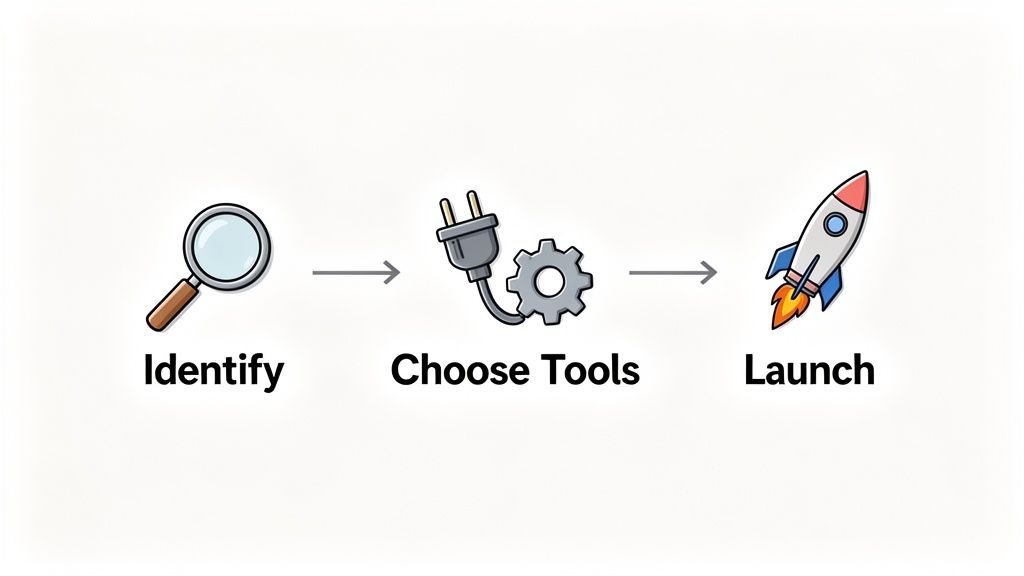
Step 1: Identify the Right Task to Automate
Before you even glance at any software, you need to find the perfect candidate for automation. Don't try to boil the ocean by tackling a huge, convoluted process on your first go. Instead, look for the low-hanging fruit—the tasks that cause the most pain for the least amount of complexity.
Here’s what you should be hunting for:
Repetitive and Frequent: Is someone on your team doing the same thing over and over, every single day? Think copying and pasting data between two apps.
Rule-Based: Does the task follow a clear, predictable "if this, then that" pattern with almost no exceptions?
Prone to Human Error: Are tiny mistakes like typos or forgotten steps constantly causing bigger headaches down the line?
Creates a Bottleneck: Does one person's manual task hold up an entire project or process for everyone else?
Things like processing new leads, sending out templated follow-up emails, or creating standard project folders in Asana are all perfect starting points. They’re simple enough to automate quickly but deliver an immediate, tangible impact.
Step 2: Choose Your Automation Tools
Once you know what you're automating, it's time to figure out how. The market is flooded with tools, but they generally fall into two buckets.
First, always check for native integrations. Many of the apps you already use—like Slack, HubSpot, or your CRM—have built-in automation features that let them communicate directly. This is often the easiest and most cost-effective way to get started.
If you need more firepower, look at dedicated automation platforms. Tools like Zapier or Make are the Swiss Army knives of automation, connecting thousands of different apps. They let you build powerful workflows using visual, drag-and-drop interfaces, all without touching a line of code.
Step 3: Design, Launch, and Refine Your Workflow
You've got your task and your tool. Now it's time to build.
Start by mapping out the process from beginning to end. What kicks it off (the trigger)? What exact actions need to happen, and in what order? Build that logic in the tool you chose.
Automation isn't a "set it and forget it" solution. Think of it as a living system. Your first version won't be perfect, and that's okay. The goal is to launch, learn, and improve over time.
After you go live, keep a close eye on it. Watch for any errors and, more importantly, get feedback from your team. Is it actually saving them time? Did any unexpected problems pop up?
Use that feedback to make small adjustments. This continuous loop of refining and improving is what separates a decent automation from a truly great one—it’s the same approach we used when we built a seamless booking system for MeetingPackage. Your automations should grow and adapt right alongside your business.
Got Questions About Automation? We’ve Got Answers.
When teams start digging into workflow automation, the same questions tend to pop up. It makes sense—you want to know what you’re getting into before you dive in. Let's clear the air and tackle some of the most common ones.
What’s the Difference Between Workflow Automation and RPA?
I like to think of it this way: workflow automation is like a modern, digital handshake between your apps. It uses APIs—the common language of software—to connect your cloud-based tools so they can pass information back and forth smoothly.
Robotic Process Automation (RPA), on the other hand, is more like a screen mimic. It uses software "bots" to copy what a human does on their computer: clicking buttons, copying and pasting text, and filling out forms. It’s a solution usually reserved for older, legacy systems that don’t have those modern APIs to connect with.
Is Automation Going to Replace People on My Team?
Nope. Automation is here to replace mind-numbing tasks, not talented people. Think about all the repetitive work that no one actually wants to do—like endless data entry or copying information from one app to another. That’s what gets automated.
This shift actually makes your team more valuable, not obsolete. By taking the boring stuff off their plates, you free them up to focus on what humans do best: strategic thinking, creative problem-solving, and building real relationships with customers. That's the kind of work software can't touch.
What’s a Realistic Budget for Automating a Workflow?
The cost really depends on how complex the job is. It's a spectrum.
Simple Automations: You can get started for free or with a very low-cost plan on platforms like Zapier or Make. We're often talking $20-$50 per month to connect a couple of apps.
Complex Workflows: If you’re looking at a multi-step process with custom logic that ties together several specialized tools, the setup is more involved. This could range from a few hundred to several thousand dollars, depending on the expertise needed to build it right.
What Are the Go-To Automation Tools for Startups?
For startups, you want tools that are easy to get started with, can grow with you, and play nicely with all the other apps you're already using. My top three recommendations are almost always:
Zapier: It's the most popular for a reason. With its massive library of app integrations and a super intuitive interface, you can connect almost anything.
Make (formerly Integromat): This is my go-to for more complex workflows. Its visual builder gives you incredible control and lets you map out sophisticated logic without writing code.
Airtable: More than just a spreadsheet, Airtable is a flexible database with powerful built-in automation features. It's perfect for creating a central hub to manage your data and trigger processes.
Custom: Sometimes when you have a complex workflow its easier to just build something from scratch, and today with AI tools it can be much easier, and cheaper to do. This is the way more and more companies start adopting.
Ready to stop wasting time on manual tasks? Shalev Agency builds custom automations and internal tools that streamline your workflows and drive real business growth. Learn how we can help you ship faster.