Discover SaaS onboarding best practices that boost user activation and retention. Learn how to craft a journey that turns new signups into loyal customers.
Jan 11, 2026
Good SaaS onboarding is all about one thing: getting your new user to that "aha moment" as fast as humanly possible. You need to turn that first, often confusing, login into a clear, value-packed journey that proves your product is the solution they’ve been looking for. The idea is to build momentum from the very beginning, making users feel successful and eager to weave your tool into their daily work.
Why Your First User Impression Defines Success
Picture this: a new user signs up for your SaaS, genuinely excited to solve a pressing problem. But the second they log in, they're hit with a blank, overwhelming dashboard. There are no clear next steps, just a confusing wall of features they don't understand. That first interaction is a critical fork in the road, and it will define their entire relationship with your product.
This isn’t just some theoretical exercise. Think about the last time you signed up for a new tool, hoping it would revolutionize your workflow, only to get stuck in a maze of confusing screens and features that seemed totally irrelevant. It's a nightmare scenario that plays out constantly. In fact, a shocking 68% of users will abandon a product simply because of a bad onboarding experience.
When you connect that to the fact that boosting user retention by a mere 5% can skyrocket profits by 25% to 95%, the real cost of a bad first impression becomes crystal clear. For more stats on why onboarding is a business-critical function, check out this CloudCoach report.
The Real Cost of a Poor Welcome
A broken onboarding process does more than just frustrate your users—it directly torpedoes your bottom line. It's the number one cause of early-stage churn, where users bail before they ever see the value you promised. This isn't just lost revenue; it’s a wide-open door for your competitors.
Great onboarding isn’t a nice-to-have feature; it’s the bedrock of a successful product. It directly accomplishes several critical business goals. Let’s break them down.
Here’s a quick look at the core objectives that a well-designed onboarding flow should nail to drive long-term customer loyalty.
| The Core Goals of Effective SaaS Onboarding |
| :--- | :--- | :--- |
| Goal | Why It Matters for Retention | Example Tactic |
| Accelerate Time-to-Value | Quickly proves your product solves the user's problem, reinforcing their decision to sign up. | An interactive product tour that guides users to complete one key task. |
| Boost Activation Rates | Turns passive signups into active users who perform meaningful actions within your app. | A simple checklist that highlights 2-3 essential setup steps. |
| Improve Long-Term Retention | A positive first experience creates "sticky" users who are far more likely to become paying, loyal customers. | A personalized welcome email that points them to a relevant help doc or video. |
Ultimately, the goal is to make a user feel smart and capable right from the start, building the foundation for a lasting relationship.
Onboarding is your first, and best, opportunity to prove your product's value. It’s a guided tour, not a user manual thrown at a new customer. The goal is to build confidence and demonstrate a clear path to success.
The principles you establish in those first few critical minutes set the tone for the entire customer lifecycle. In many ways, that initial welcome is just as important as your landing page design, since both are pivotal moments for conversion and retention. To really dig into the tactics that make this happen, take a look at these comprehensive SaaS onboarding best practices. This guide unpacks the actionable strategies you need to turn a simple signup into a powerful growth engine.
Mapping the Journey to a User's Aha Moment
The single most important goal of your onboarding is to get users to their "Aha Moment." This is that magic instant where the lightbulb goes on and they don't just understand your product's value, they feel it. It’s like when you’re learning a new video game and you finally nail a combo move that makes you feel unstoppable. Your job is to create that moment of clarity as fast as possible.
But this journey isn't a straight line. Every user shows up with a different background, a unique goal, and varying levels of technical skill. To guide them effectively, you first have to know where they're trying to go. Only then can you pave the smoothest, most direct path for them to get there.
Defining Key Activation Events
Before you can draw the map, you need to identify the landmarks. These are your key activation events—the specific, high-value actions a user takes that are directly tied to them sticking around for the long haul. These aren't just random clicks; they are the critical steps that prove your product is actually solving their problem.
For a project management tool like Asana, this might be creating a project, assigning the first task, and inviting a teammate. For a social media scheduler like Buffer, it’s probably connecting a social account and scheduling their first post.
The trick is to look at your power users—the ones who've been with you for ages—and work backward. What did they all do in their first few sessions that the users who churned didn't? Those actions are your gold.
The "Aha Moment" isn't just about a user seeing a cool feature. It's about them successfully using that feature for their own work and getting a tangible result. Activation isn't a single click, but a short sequence of actions that creates real value.
Once you know what these events are, you can stop guessing. Your entire onboarding flow—every tooltip, every email, every in-app message—can now be laser-focused on nudging users toward completing these exact steps.
This whole process is about guiding users to value, making sure they stick around to experience it again, and then helping them grow into more advanced users.
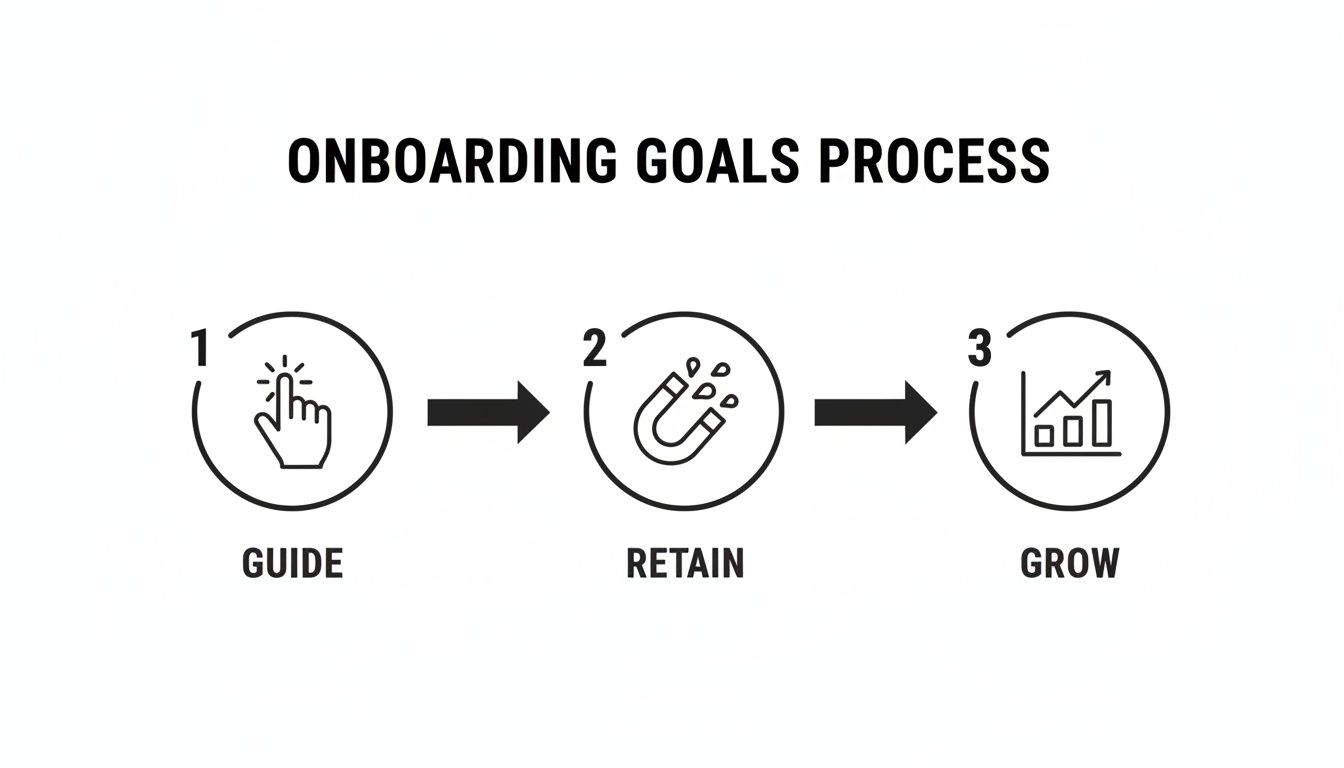
As you can see, great onboarding is never a one-and-done task. It's a continuous cycle designed to build a strong, lasting relationship with your customers.
Segmenting Users for a Personalized Path
Trying to push every single user down the exact same path is a surefire way to lose them. A marketer logging into your analytics tool has completely different priorities than a developer. This is where user segmentation becomes your superpower.
By segmenting your onboarding, you’re tailoring the experience to the individual. This makes the journey far more relevant and shows that you respect their time by focusing only on what matters to them.
Here are a few common ways to segment users:
By Role: A "Team Admin" needs to see billing and user management right away. A "Team Member," on the other hand, just needs to learn how to collaborate on daily tasks.
By Goal: Simply ask people during signup what they hope to accomplish. A user who wants to "analyze data" should get a completely different tour than one who wants to "build reports."
By Skill Level: Give "Beginners" a full, hands-on product tour that holds their hand a bit. "Experts" might just want a quick checklist of key features so they can get going on their own.
A complex tool like Jira would be almost impossible to learn without this. A smart onboarding flow would immediately segment users by their role—project manager, developer, or executive—and show each of them the features most critical for their job first.
By mapping the journey to that "Aha Moment" and then personalizing the path for different types of users, you turn onboarding from a boring tutorial into an experience that builds momentum and drives real product adoption from day one.
Using UX Patterns for In-App Guidance
Great onboarding isn't about tossing a user manual at your new customers and wishing them luck. It's about guiding them with smart, subtle cues that make them feel capable and in control. This is where user experience (UX) patterns come into play. These are simply practical, repeatable design solutions that help people find their way around your product without getting stuck or frustrated.
Think of it like visiting a well-designed modern airport for the first time. You aren't handed a complex map and told, "good luck." Instead, clear signs, color-coded lines on the floor, and an intuitive layout guide you effortlessly from check-in to your gate. The best in-app guidance works the exact same way, making the path to value obvious and easy to follow.
Choosing the Right In-App Guidance Tools
Not all guidance is created equal. The real key is to match the UX pattern to the user's immediate need, ensuring your help shows up at just the right moment and in the right context. Forcing a 10-step product tour on someone who just needs to find one button is a classic onboarding mistake we've all experienced.
In the incredibly competitive SaaS world, smart companies are mixing and matching these tools to create a layered, supportive experience. In fact, 55% of companies now use at least three different in-app onboarding elements to guide their users. The most common choices are welcome screens (with a 56% adoption rate), checklists (36%), tooltips (31%), and hotspots (30%). On top of that, 47% of companies now offer interactive walkthroughs, which are proving far more engaging than old-school passive tours. To get a better look at the data, you can check out the latest SaaS onboarding statistics.
Here’s a breakdown of the most effective UX patterns and when you should use them:
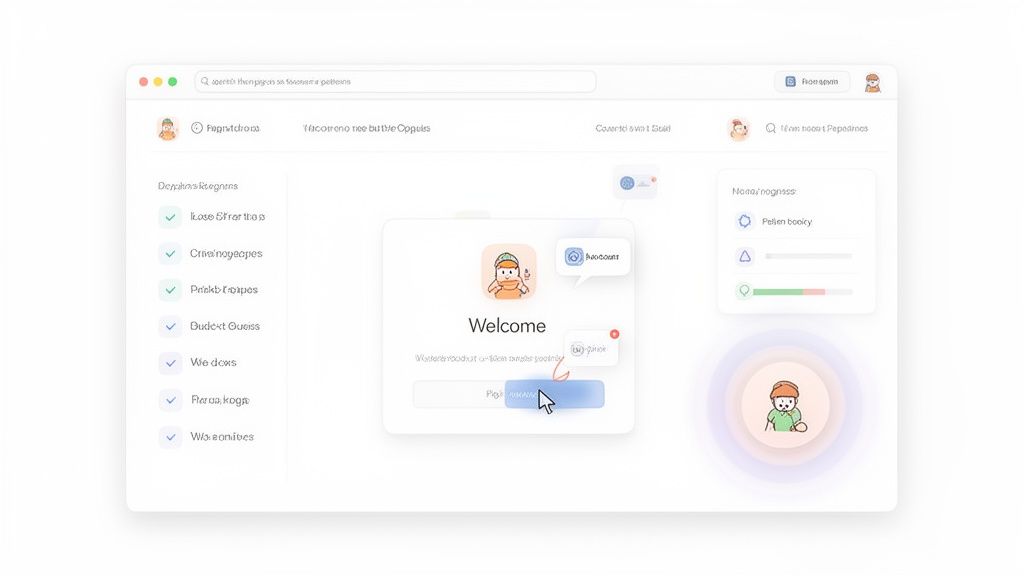
Welcome Modals: This is your first handshake. Use it on the very first login to greet the user, set expectations, offer a quick tour, or ask a key segmentation question to personalize their journey.
Interactive Product Tours: Forget the old, passive "click-next" slideshows. Modern tours get users to do the key actions themselves, which is a much stickier way to learn.
Onboarding Checklists: These are perfect for showing users the 3-5 critical steps they need to take to get set up. That little progress bar gives a powerful psychological nudge, motivating them to hit 100%.
Tooltips and Hotspots: Think of these as small, contextual whispers. They appear when a user hovers over or clicks on a specific element and are ideal for explaining non-obvious features without derailing their workflow.
The Power of Progress and Motivation
One of the most effective SaaS onboarding best practices is simply showing users they're making progress. People are hardwired to want to complete tasks and fill up progress bars. Tapping into this simple psychological principle can dramatically increase the chances that a user will actually finish your setup process.
For instance, a simple progress bar in an onboarding checklist turns a list of chores into a satisfying challenge. Each checked item provides a small dopamine hit, encouraging the user to keep going until they’ve unlocked the full value of your product.
The goal of in-app guidance is to make the user feel like they are discovering the solution on their own, even though you are gently guiding them every step of the way. It’s about empowerment, not instruction.
Think of it as creating a series of "quick wins." When a user successfully completes a small task—like creating their first project or inviting a teammate—they build confidence and momentum. This makes them far more likely to stick around and explore what else your product can do down the road.
Crafting Microcopy That Connects
Finally, let's talk about microcopy. These are the tiny bits of text you see on buttons, in tooltips, on error messages, and in empty states. They might seem small, but their impact is huge. Good microcopy can transform a confusing, robotic experience into one that feels clear, helpful, and human.
Instead of a button that just says "Submit," try something more descriptive like "Create My First Report." Instead of an error message that says "Invalid Input," offer a helpful fix like "Please enter a valid email address."
Here’s a quick comparison to see what I mean:
UI Element | Weak Microcopy | Strong Microcopy |
|---|---|---|
Empty State | No data available. | Welcome! Let's create your first project to get started. |
Button | Save | Save My Progress |
Tooltip | Click to change settings. | Customize your profile and notification settings here. |
Loading Message | Loading... | Getting your dashboard ready... |
These small changes add up. They create an experience that feels supportive and thoughtful, reinforcing that there's a real team behind the product. This builds trust and makes users feel more comfortable as they learn their way around. By combining the right UX patterns with clear, empathetic microcopy, you can build an onboarding flow that doesn't just show users what to do—it makes them feel successful while doing it.
Building Your Onboarding Communication Playbook
A user’s journey doesn’t just happen when they’re logged into your app. The time they spend away from your product is just as crucial. A smart communication plan—mixing the right emails with timely in-app messages—is what connects those experiences and keeps users moving forward.
Think of it like having a personal trainer. Inside the gym (your app), the trainer shows you the ropes. But they also text you encouragement and reminders when you’re not there. Your messaging strategy works the same way, making sure users never feel abandoned or confused.
The Welcome Series That Sets the Stage
Your very first message is your digital handshake. The welcome email, which should land in their inbox the second they sign up, is non-negotiable. It’s your chance to set the tone for the entire relationship.
But this isn't just a "thanks for signing up" email. It has one critical job: get the user to take that first, all-important step toward their "Aha!" moment. Don't bombard them with a dozen things to do. Focus on the single most important action.
A great welcome email needs just a few key things:
A genuine thank you. Acknowledge that they chose you.
One clear call-to-action (CTA). Send them straight to the first critical task, like "Create Your First Project" or "Connect Your Account."
A single helpful resource. Link to a quick-start guide or a short demo video—just one!
A human touch. Let them know real people are there to help if they run into trouble.
This isn't about selling. It's about building their confidence right from the jump.
Your welcome email is more than a receipt. It's the first chapter in the user's success story. Make it count by focusing on the one action that will get them to their "Aha Moment" fastest.
Behavior-Based Triggers That Drive Action
The best messages feel like they were sent just for you, at just the right time. That’s the magic of behavior-based triggers. Instead of sending the same generic emails to everyone, you react to what users actually do (or don't do) in your product.
This makes every notification feel relevant and helpful, not like spam.
Here are a few powerful triggers you can build into your playbook:
Celebrate Milestones: Did a user just invite their first teammate or publish their first report? Send an automated email congratulating them. A little positive reinforcement goes a long way.
Offer Help Proactively: If someone starts a key workflow but doesn't finish it within 24 hours, pop up an in-app message or email. A simple, "Hey, looks like you started creating a campaign. Need a hand?" can be the difference between a new power user and a churned one.
Introduce Advanced Features: Once a user has the basics down, it’s time to show them what else your product can do. Trigger a message introducing a more advanced feature that’s relevant to what they’ve already been doing.
The Re-Engagement Campaign
It’s inevitable—some users will go quiet. A re-engagement campaign is your plan to bring them back before they're gone for good. And don't wait a month to check in. The sweet spot is usually after 7-14 days of inactivity.
The goal isn't to be pushy. It’s to gently remind them of the value they were looking for when they signed up. A simple email showcasing a new feature, sharing a case study from a similar company, or even offering a quick one-on-one call can be all it takes.
By weaving these SaaS onboarding best practices into your communication, you create a supportive system that actively guides every user toward success.
Measuring Onboarding Success with the Right Metrics
You can't fix what you don't measure. A slick-looking onboarding flow is just window dressing if it doesn’t actually help your users find their footing. This is where the data comes in. By tracking the right numbers, you stop guessing what works and start knowing what drives people to activate and stick around for the long haul.
Think of your onboarding as a journey to a specific destination: a fully activated, successful user. Your metrics are the GPS, showing you exactly where new users are cruising along and where they’re hitting roadblocks. Without that data, you’re just driving blind.
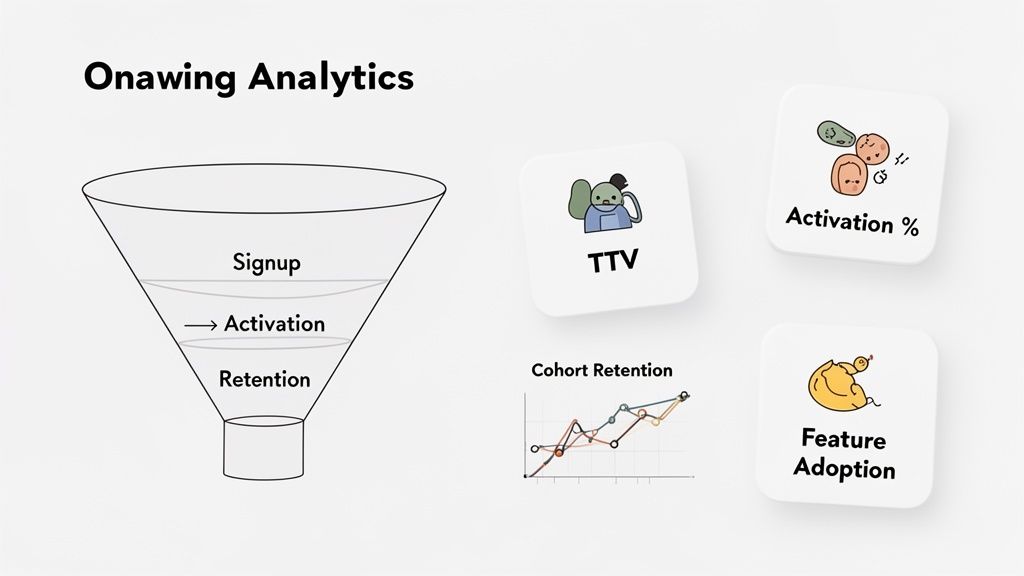
Defining Your Core Onboarding KPIs
While you could track dozens of different things, just a handful of key performance indicators (KPIs) tell most of the story. Nailing these down helps you skip the analysis paralysis and focus on what actually moves the needle for your business.
These are the essentials every SaaS team should have on their dashboard:
Time-to-Value (TTV): How long does it take for a new user to experience that "Aha!" moment? A shorter TTV means they grasp your product's value faster, which makes them far more likely to stick around.
Activation Rate: This isn't just about signups. It's the percentage of new users who complete the critical actions you've defined as "activated." These are the steps that separate casual lookers from serious users.
Feature Adoption Rate: Are people using the features that make your product sticky? This metric tracks how many new users engage with those core functions that get them hooked.
Cohort Retention Rate: This is the ultimate report card. It groups users by when they signed up (a "cohort") and tracks what percentage are still active over time. It tells you if your onboarding is setting people up for long-term success.
The goal isn't just to get users to log in. It's to guide them to perform the specific actions that transform them from passive visitors into active, engaged customers who can't imagine their workflow without you.
Pinpointing Problems with Onboarding Funnels
An onboarding funnel is a simple way to visualize the steps a user takes from signup to activation. By mapping this out, you can see exactly where people are giving up and dropping off. For example, you might discover that 90% of users start your setup checklist, but only 40% actually finish it.
That immediately tells you there’s something wrong with the checklist. Is it too long? Are the instructions confusing? Is there a bug? A funnel doesn't hand you the answer, but it points you directly to where you need to start digging. This process is fundamental to the entire product development for startups cycle, where finding and plugging leaks fast is everything.
To give you a clearer picture, here’s a breakdown of what these core metrics mean and what a good result looks like in the real world.
Key SaaS Onboarding Metrics and What They Mean
Metric | What It Measures | Industry Benchmark |
|---|---|---|
Time-to-Value (TTV) | The time from signup to a user's first "Aha Moment." | Varies widely, but the goal is minutes or hours, not days. |
Activation Rate | % of users completing key actions (e.g., creating a project). | A "good" rate is typically 25-40% for many SaaS products. |
Feature Adoption Rate | % of new users who try a specific key feature. | Aim for 50%+ adoption for core features during onboarding. |
1-Month Cohort Retention | % of a signup cohort still active after 30 days. | B2B SaaS should aim for 35% or higher. |
Understanding these numbers is the first step. The next is acting on them.
Continuously Improving with A/B Testing
Once your funnels have flagged a problem area, it's time to start experimenting with solutions. This is exactly what A/B testing was made for. It lets you try out a change on a small slice of your audience to see if it actually improves a metric before you commit to rolling it out for everyone.
For instance, you could test:
An interactive product tour vs. a simple checklist.
Different welcome email subject lines.
Changing the microcopy on a key button.
By forming a clear hypothesis (e.g., "Changing the button copy from 'Start' to 'Create My First Report' will increase clicks by 15%"), you can run a controlled experiment and let the data pick the winner. This cycle of measuring, analyzing, and experimenting turns your onboarding from a static feature into a living system that constantly gets better at serving your users.
Actionable Checklists and Real-World Examples
Theory is great, but it's turning those ideas into a real-world plan that gets results. Let's shift from just talking about concepts to actually building something with checklists and a little inspiration from brands that are getting it right.
A solid onboarding strategy doesn't just happen by accident. It's a carefully planned journey for every new user, covering every touchpoint from the second they sign up until long after they've had that first "aha!" moment. Think of it like a pre-flight checklist for your user's success—you don't want to miss a single step.
Your Essential Onboarding Checklist
To build an experience that truly works, you need to have a few key pieces in place. Use this checklist to either audit the flow you already have or to build a new one from the ground up.
Effortless Sign-Up: Keep your sign-up form as short as possible. Seriously, just ask for an email and a password. You can get the rest later. The goal here is to reduce friction to almost zero.
Immediate Welcome Email: The confirmation email needs to hit their inbox instantly. It should have one, and only one, clear call-to-action that pulls the user right back into your product.
Personalized First Login: Greet the user by name. If you can, ask a quick question or two to figure out their goals, then tailor the first few steps just for them.
Guided "Quick Win": Don't just show them around—guide them to complete one simple, high-value action. This creates momentum and shows them the value of your product right away.
Progress Indicators: People love checking things off a list. Use simple checklists or progress bars to show users exactly how close they are to getting fully set up.
Behavior-Based Communication: Set up emails or in-app messages that trigger based on what a user does (or doesn't do). This makes your support feel timely and incredibly relevant.
The best onboarding flows feel less like a tutorial and more like a helpful partner guiding you to success. The goal is to make the user feel smart and capable from the very first click.
Learning from the Best SaaS Examples
Why reinvent the wheel? Looking at what successful companies are doing gives you a proven blueprint for what works. Let's break down the tactics of a couple of industry leaders known for their fantastic onboarding.
Slack’s Interactive Onboarding Slack is the absolute master of "learning by doing." Instead of a boring, passive product tour, their friendly bot, Slackbot, messages you directly. It teaches you how to use the app by having you actually use it. This hands-on approach makes learning the core features feel completely natural.
Canva's Quick-Win Design Flow Canva gets it. Their users sign up to create something beautiful, and they want to do it fast. Their onboarding pushes users right into a simple design project, like a social media post using a pre-made template. Within just a few minutes, a brand-new user has created something valuable, which instantly proves how powerful the product is.
These examples really drive home a core principle of good onboarding: shrink the time-to-value as much as you can. When you give users a clear, guided path to an early win, you build their confidence and lay the groundwork for them to stick around for the long haul.
To explore more strategies that drive user engagement, check out these helpful customer onboarding best practices. Our own experience designing for various IT & SaaS companies has shown us time and again that a well-executed onboarding process is one of the most powerful growth levers you have.
Your SaaS Onboarding Questions, Answered
Getting into the weeds of user onboarding always sparks a few questions. Let's tackle some of the most common ones that pop up for product teams and founders trying to nail their first-impression experience.
How Long Should Onboarding Be?
There’s no magic number here. The real goal is to make it as quick as humanly possible. The metric you should be obsessed with is Time-to-Value (TTV). Your onboarding is done the second a user completes the one or two key actions that make them go, "Aha! I get it."
For a simple app, that "aha moment" might happen in less than a minute. For a complex B2B platform, it could be a checklist of setup tasks that takes 15-20 minutes during their first visit. It all comes back to delivering value, fast.
What's the Single Most Important Onboarding Metric?
You'll eventually track a handful of metrics like feature adoption and long-term retention, but the one to watch like a hawk from day one is your activation rate. This simply measures the percentage of new signups who actually complete those core, value-delivering actions.
If your activation rate is low, it’s a massive red flag. It means people are walking in the front door but leaving before they see what makes your product special. They're almost guaranteed to churn.
Are Product Tours a Good Idea?
This is a classic "it depends" scenario. Those old-school, passive product tours where you just click "next" over and over? They're usually a waste of time and can actually frustrate users. But a modern, interactive tour can be incredibly effective.
A great product tour should be:
Action-oriented: It makes users do things instead of just watching a slideshow.
Contextual: It shows up at the right time, like when a user navigates to a new feature for the first time.
Skippable: It never forces an experienced user to sit through a tutorial they don't need.
The best onboarding doesn't feel like a mandatory lecture. It feels like a helpful guide that appears just when you need it, empowering you to discover value on your own terms.
Shalev Agency is your dedicated design and development partner, turning complex ideas into polished, conversion-focused products and websites. See how we can help you ship faster.