Master the website development processes that convert. This guide breaks down each stage, from discovery to launch, for founders who need results.
Jan 11, 2026
Building a website isn't just another item on the to-do list. It's a strategic move that can make or break your growth. For founders and marketing leaders, the real goal isn't just to get a site online, but to launch a powerful engine that drives conversions. This guide pulls back the curtain on the website development process that separates the high-performers from the rest.
Why Your Website Development Process Is Your Greatest Asset
Think about building a website like building a Formula 1 car. Sure, anyone can throw together a go-kart with a kit and some basic instructions. But if you want a machine built for speed, precision, and winning races, you need a blueprint. Without one, you’re just guessing, bolting parts together and hoping it doesn’t fall apart on the first turn. You'll end up with something slow, unreliable, and definitely not on the podium.
That's what a solid process does for website development. It turns a potentially chaotic, unpredictable project into a well-managed, strategic one. It gives everyone a clear roadmap, aligns the whole team, and makes sure the final product actually does what it's supposed to do for the business. This isn't about just writing code; it's about making smart decisions every step of the way.
The Strategic Advantage of a Clear Process
A well-defined process is your best defense against the two biggest project killers: ambiguity and misalignment. When every single person involved—from the CEO to the newest designer—understands the goals, the timeline, and what they’re responsible for, things just run better.
This clarity delivers some huge wins:
Predictable Timelines and Budgets: When you map out each stage, you can realistically estimate the time and money required. This is how you avoid the dreaded scope creep and endless delays.
A Higher-Quality Website: A systematic approach with dedicated time for research, user experience (UX) design, and quality assurance always produces a more polished and effective final product.
Smoother Team Collaboration: Friction disappears when everyone knows their role and what’s coming next. Your team can focus on doing great work instead of figuring out who's doing what.
A disciplined website development process is the foundation for creating a digital experience that generates qualified leads, streamlines workflows, and delivers measurable ROI.
The market backs this up. The web development industry is expected to grow by USD 40.98 billion between 2024 and 2029, largely because more companies are adopting agile methods and modern technology. This boom means it's more important than ever for businesses to invest in a solid, scalable website process if they want to grab their piece of the pie. You can find more insights on web development market growth on Technavio.com.
The 7 Stages of the Modern Web Development Lifecycle
Building a great website isn't a one-and-done task; it’s a journey through a clearly defined lifecycle. Think of it like constructing a high-performance building. You wouldn't just start mixing concrete and throwing up walls, right? You’d start with architectural blueprints, engineer the structure, design the interior, and run rigorous inspections long before opening the doors.
Each stage in the web development process has a specific job, making sure the final product is strategic, user-friendly, and technically solid. Following a structured approach takes the guesswork out of the project, gets everyone on the same page, and turns a good idea into a real business asset.
This flowchart gives you a bird's-eye view of how a strategic vision becomes a live, growing digital product.
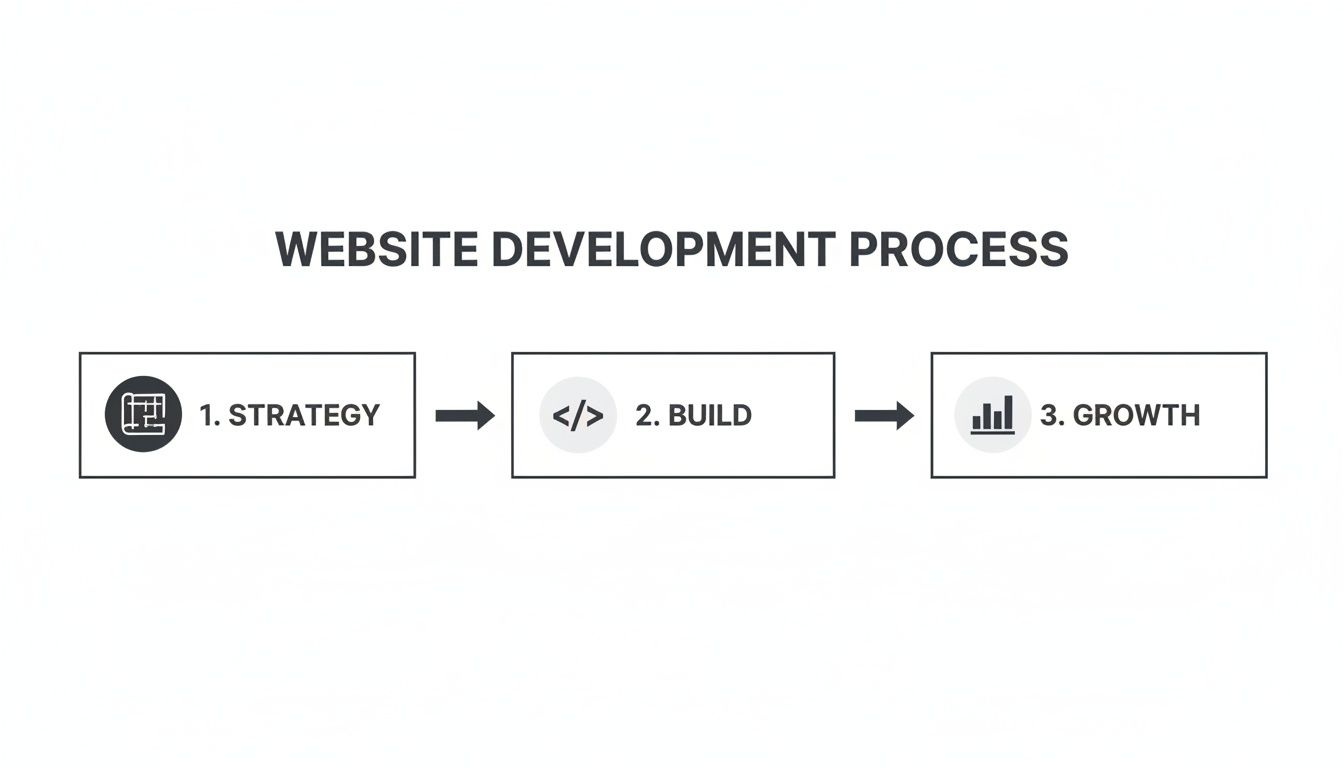
The flow from strategy to build and then to growth shows that launching a website is just the beginning, not the finish line.
To give you a clearer picture of how these phases fit together, here’s a quick summary of what happens at each step, what the goal is, and what you should walk away with.
Website Development Stages at a Glance
Stage | Primary Goal | Key Activities | Main Deliverable |
|---|---|---|---|
1. Discovery & Strategy | Define the "why" and align on business objectives. | Stakeholder interviews, competitor analysis, audience research, KPI definition. | Project Brief or Strategy Document |
2. UX Design | Map out an intuitive and logical user journey. | Sitemap creation, user flow mapping, low-fidelity wireframing. | Wireframes & Site Architecture |
3. UI Design | Create the visual identity and on-brand look and feel. | Color palettes, typography, imagery, high-fidelity mockups, prototyping. | High-Fidelity Mockups & Design System |
4. Engineering | Turn static designs into a functional, live website. | Front-end (HTML/CSS/JS) and back-end (server/database) coding. | Functional Codebase |
5. QA & Testing | Find and fix bugs before the public sees them. | Cross-browser testing, device testing, performance checks, user acceptance testing. | QA Test Report & Bug Fixes |
6. Launch | Deploy the website to a live server for public access. | Server configuration, code deployment, DNS updates, final go-live checks. | A Live Website |
7. Maintenance | Keep the site secure, fast, and constantly improving. | Software updates, security scans, performance monitoring, feature iteration. | Ongoing Performance & Site Analytics |
Now let's dive into what each of these stages really involves.
Stage 1: Discovery and Strategy
This is the bedrock of the entire project. Before a single line of code gets written or a pixel is pushed, you have to nail down the "why." This whole stage is about deep research and getting everyone aligned on the strategy.
The main goal here is to get a crystal-clear understanding of the business objectives, who the target audience is, and what the competition is up to. It’s where you answer the big questions: Who are we building this for? What problem are we solving for them? What does success look like in six or twelve months?
Key activities usually include:
Stakeholder interviews to align on the core vision and goals.
Competitor analysis to spot market gaps and find opportunities to stand out.
Audience research to build out detailed user personas.
Defining Key Performance Indicators (KPIs) to actually measure success.
The main thing you'll get out of this phase is a Project Brief or a Strategy Document. This document becomes the north star for every single decision that follows.
Stage 2: UX (User Experience) Design
With a solid strategy in hand, the focus shifts to the user’s journey. UX design is essentially the architectural blueprint for your website. It has nothing to do with colors or fonts yet—it’s all about structure, flow, and making things easy to use.
The goal is to design a path for users that feels completely intuitive and friction-free, helping them get what they came for. Great UX makes a website feel logical and effortless. This is where you’ll create a sitemap to outline the site's overall structure and wireframes, which are simple, low-fidelity sketches that map out the layout of each page.
Stage 3: UI (User Interface) Design
If UX is the architecture, then UI is the interior design. This is the stage where the bare-bones wireframes come to life with visuals that create an engaging, on-brand experience.
UI designers are focused on the aesthetics and the interactive bits. They pick out color palettes, typography, and imagery that really capture the brand's personality. The deliverable here is a set of high-fidelity mockups—pixel-perfect images of what the final website will actually look like. These mockups are often paired with a design system or style guide to keep everything looking consistent.
Good design is good business. Remember, 75% of users judge a business's credibility based purely on its website design. A polished UI builds trust and makes people want to stick around.
Stage 4: Engineering and Development
This is where the magic happens and the designs become a real, working website. Developers take the approved UI mockups and write the code that brings the site to life.
This stage is usually broken into two main parts:
Front-End Development: Building the part of the site that people see and interact with in their web browser.
Back-End Development: Building the server, database, and application logic that makes the front-end work.
This is almost always the longest phase of the project, because it involves the complex work of translating static pictures into a dynamic, responsive digital experience that works everywhere.
Stage 5: QA and Testing
Before you pop the champagne and show the world your new site, it has to go through some serious testing. The Quality Assurance (QA) phase is your safety net for catching bugs, making sure everything works, and polishing the final experience.
Testers check for everything you can imagine—from broken links and browser compatibility issues to things that slow the site down. They make sure the site works perfectly on different devices (desktops, tablets, phones) and that all the features do what they're supposed to do. This meticulous process prevents a messy launch that could instantly damage your credibility.
Stage 6: Launch and Deployment
Once testing is done and all the kinks are worked out, it’s go-time. The launch phase is all about deploying the website's code to a live server so the public can access it.
This process involves a lot of final checks, configuring the hosting environment, and pointing the domain name to the new site. A smooth launch doesn't happen by accident; it's the result of careful planning through every stage that came before it.
Stage 7: Maintenance and Iteration
Launching a website isn't the end of the road—it’s actually the beginning of a whole new phase. After launch, ongoing maintenance is absolutely critical for security, performance, and keeping the site relevant. This means regular software updates, security scans, and backups.
Beyond that, the best websites are never really "finished." By looking at analytics and listening to user feedback, you can continuously tweak and improve the site to better meet your users' needs and hit your business goals. With 252,000 new websites being created every single day, having a structured process is the only way to stand out and thrive. A focus on maintenance ensures your site doesn't become another ghost on the internet. You can read more about the latest web development statistics and trends on Clutch.co.
Choosing Your Development Partnership Model
How you team up with a development partner will steer everything—your project's workflow, your budget, and what you get at the end. Getting this right is a huge piece of the puzzle, and it's all about making sure your needs line up with the right kind of collaboration from day one.
Think of it like building a house. Are you handing over a complete set of blueprints to an architect and a construction crew for a specific, pre-designed home? Or do you need a master builder on call, ready to upgrade and expand your property as your needs change over time? These are two very different jobs, and they require very different agreements.
Let’s dig into the two most common models—Fixed-Scope and Retainer—so you can figure out what makes the most sense for your startup.
The Fixed-Scope Model: Predictable and Defined
A Fixed-Scope project is like building from that perfect set of blueprints. You agree on a specific, clearly defined outcome for a set price and a firm timeline. This model is your best bet when you know exactly what you need to build.
This approach is perfect for projects that have a clear finish line, like:
A Minimum Viable Product (MVP): You've nailed down the core feature set and just need to get it built and out the door.
A new marketing website: The sitemap, main pages, and must-have features are all mapped out from the start.
A specific feature build-out: You need to add a single, well-understood piece of functionality to your existing platform.
The biggest win with a fixed-scope project is predictability. You know exactly what you’re getting, when you’ll have it, and how much it will cost. For an early-stage company trying to manage a tight budget, that’s gold.
The trade-off, however, is flexibility. If you uncover a brilliant new idea or need to change direction halfway through, that usually means hitting the pause button to draft a new proposal and a formal change order. This can kill your momentum and drive up costs, making it a poor fit for products that need to adapt quickly to user feedback.
To see what these kinds of well-defined projects can look like when they're done, check out examples of our finished work.
The Retainer Model: Flexible and Iterative
The Retainer model is like having that master builder on speed dial. Instead of paying for one big, defined project, you're investing in a dedicated block of your partner's time and expertise every month. This approach treats development as an ongoing process of improvement, not a one-and-done event.
This nimble partnership is built for ambitious businesses that need to move fast and adapt. It's ideal for:
Post-launch optimization: Constantly running A/B tests, tweaking user flows, and hunting for ways to boost conversion rates.
Iterative feature development: Building, testing, and shipping new features based on real-time market demands and user data.
Ongoing support and maintenance: Keeping your site secure, fast, and bug-free while rolling out small but meaningful enhancements.
The real advantage here is agility. Your development partner becomes a true extension of your team, getting to know your business inside and out and actively bringing new ideas to the table. This kind of collaboration lets you pivot on a dime and capitalize on new insights without getting bogged down in paperwork. It’s a steady monthly investment, but the payoff is sustained momentum and the power to build a product that truly leads the market over time.
Understanding Your Website's Technology Stack
Let's be honest, the term "tech stack" can sound pretty intimidating if you're not a developer. But you don't need to be one to understand the tools that bring your website to life. Think of it like this: a tech stack is just the collection of tools your team uses to build your site, much like a construction crew has specific tools for framing, plumbing, and electrical work.
Knowing a bit about these tools helps you understand why certain decisions are made and lets you have more meaningful conversations with your technical team. We'll walk through the main categories of tools that work together to build your digital home, from the initial plans to the final coat of paint.
Tools for Project Management and Collaboration
Before anyone writes a single line of code or designs a pixel, the project needs a central hub. This is where project management tools come in. They act as the project's command center, keeping everyone on the same page and the work moving forward.
Platforms like Notion or Asana are a popular choice for good reason. They let your team:
Create and track tasks, so everyone knows who’s doing what and when it’s due.
Keep all project documents in one place—from the first discovery notes to final wireframes.
Give everyone a clear view of progress, which avoids a lot of "are we there yet?" questions.
Good organization here is what separates a smooth project from a chaotic one. It saves time, money, and a lot of headaches.
Tools for Design and Prototyping
This is where the vision for your website starts to take shape. Design and prototyping tools are the digital sketchbooks where UX and UI designers turn abstract ideas into something you can actually see and click on. It's a critical step that happens long before any development begins.
Tools like Figma have become the industry standard for creating these visual blueprints.
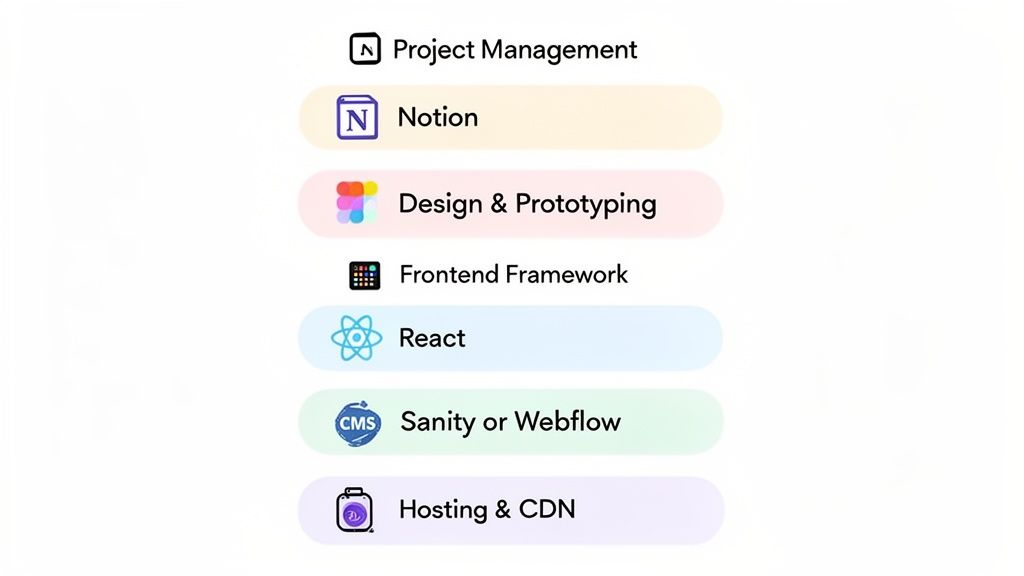
As you can see, modern design is a team sport. These tools allow designers, developers, and stakeholders to collaborate in real-time, refining the look and feel of the site. Getting this right early on prevents costly changes down the road.
Website Development Platforms
When it comes to building websites, selecting the right development platform is essential. Two standout options are Webflow and Framer, each offering unique advantages for creating modern, efficient websites.
Webflow: Known for its visual-first approach, Webflow allows users to design and develop simultaneously, making it an excellent choice for those who want to see real-time results. It provides the flexibility to create custom designs without needing extensive coding knowledge, making it accessible to both designers and developers. Additionally, Webflow's built-in hosting and CMS features streamline the process of deploying and managing content.
Framer: Framer is celebrated for its interactive design capabilities. It enables designers to prototype and build animations with ease, making it ideal for creating dynamic user experiences. With a focus on real-time collaboration and seamless integration with other design tools, Framer promotes efficiency and creativity in the development process.
By choosing a platform like Webflow or Framer, you can ensure your website is both visually appealing and functional, aligning with your business's objectives and enhancing the user experience.
How To Measure Your Website's Success
A great-looking website that doesn’t actually help your business is just an expensive piece of art. To know if all the time and money you've put into development is paying off, you have to track the right things. This means looking past surface-level numbers and focusing on Key Performance Indicators (KPIs) that tie directly back to your business goals.
Think of your website like a new hire on your sales team. You wouldn't judge their success by how many phone calls they make, but by how many deals they close. It’s the same idea here. Let's break down the two types of KPIs that really tell the story: Conversion Metrics and Performance Metrics.
Focusing On Conversion Metrics
Conversion metrics show you how good your website is at getting visitors to do something meaningful. These are the numbers that connect the dots between your website and your bottom line—think revenue, leads, and new customers. They track action, not just eyeballs.
A few key conversion metrics to keep on your radar:
Lead Generation Rate: This is the percentage of visitors who actually fill out a form, request a demo, or give you their contact info. It’s a straight-up measure of how well your site is fueling your sales pipeline.
User Sign-ups: If you run a SaaS platform or a membership site, this is your bread and butter. It tells you how many people are interested enough in your product to create an account.
Conversion Rate: This is the big one. It’s the percentage of visitors who complete any goal you've set, from making a purchase to downloading a guide.
Success isn’t about traffic; it’s about the right traffic taking the right actions. A high conversion rate on a key page is far more valuable than thousands of aimless visits.
Getting these numbers up usually means fine-tuning the little things. For example, you can find some great actionable CRO tips for forms to make your most critical touchpoints more effective. If you want to start experimenting with what resonates with your users, our guide to simple A/B testing for Framer is a great place to start.
Monitoring Essential Performance Metrics
Conversions might be the destination, but website performance is the engine that gets you there. These metrics tell you about the technical health and overall user experience of your site. After all, a slow, buggy website will have people hitting the "back" button before they ever see your call to action.
Bad performance doesn't just annoy users; it also hurts your search engine rankings, which means fewer people will find you in the first place.
Here are the performance metrics you can't afford to ignore:
Page Load Speed: This is simply how fast your page loads for a visitor. Attention spans are shorter than ever, so every millisecond matters. A slow site is one of the biggest reasons people leave.
Core Web Vitals: These are specific factors Google uses to size up a site's user experience. They look at loading speed (Largest Contentful Paint), how quickly a page becomes interactive (First Input Delay), and whether things jump around on the screen as it loads (Cumulative Layout Shift). Nailing these is a huge plus for your SEO.
To help you get started, here's a quick rundown of the most important KPIs to track, what they mean, and how to measure them.
Essential Website KPIs for Startups
KPI Category | Specific Metric | What It Measures | Tool for Tracking |
|---|---|---|---|
Conversion | Conversion Rate | % of visitors completing a goal (e.g., purchase, sign-up). | Google Analytics, Hubspot |
Conversion | Lead Generation Rate | % of visitors who become a lead (e.g., fill out a form). | Google Analytics, CRM |
Performance | Page Load Speed | Time it takes for a page's main content to fully load. | PageSpeed Insights, GTmetrix |
Performance | Core Web Vitals | User experience signals for loading, interactivity, and stability. | Google Search Console, PageSpeed Insights |
Engagement | Bounce Rate | % of visitors who leave after viewing only one page. | Google Analytics |
Engagement | Average Session Duration | The average amount of time users spend on your site. | Google Analytics |
The good news is you don’t need a massive budget to monitor what matters. Free tools like Google Analytics are fantastic for tracking user behavior and conversion goals. At the same time, Google Search Console gives you all the data you need on your site’s technical health and Core Web Vitals. Together, they give you the hard data you need to make smart decisions and prove your website is a valuable asset.
Common Website Development Pitfalls to Avoid
Even the most buttoned-up development process can hit a snag. Knowing what those common traps are ahead of time is like getting a map of a minefield—it helps you sidestep the issues that blow up timelines, budgets, and the quality of your finished website.
Think of building a website like building a house. A tiny error in the foundation can lead to massive structural problems down the road. By learning from the mistakes others have made, you can keep your project on solid ground.
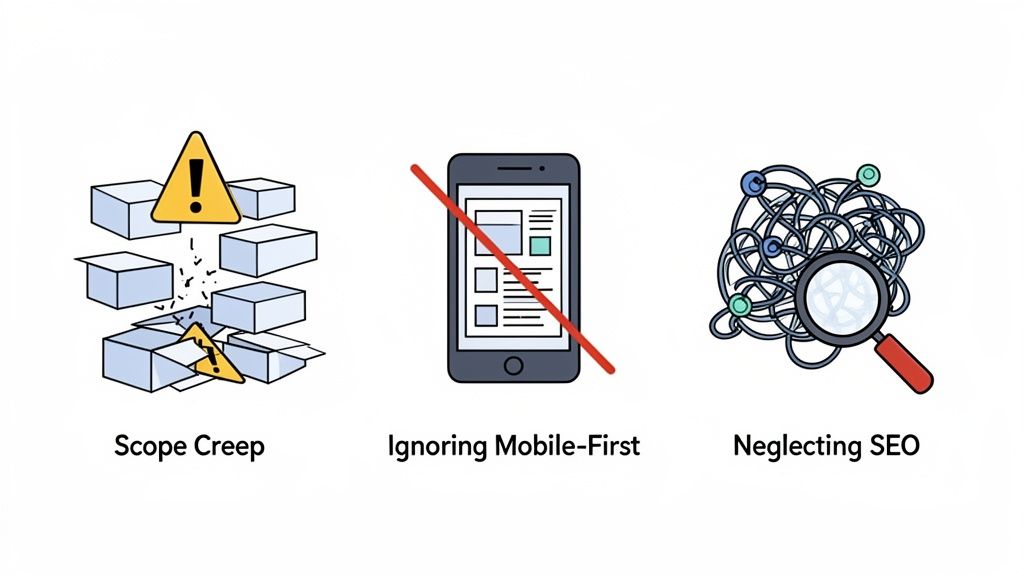
Resisting Uncontrolled Scope Creep
Ah, scope creep. It's the silent killer of projects everywhere. This is what happens when the goalposts keep moving, and new features or changes get added without also adjusting the timeline, budget, or resources.
It often starts with a small, innocent-sounding request. "Can we just add one more page?" or "What if this button did something different?" On their own, they seem manageable. But together, they create a tidal wave of unplanned work that can delay a launch by weeks or even months.
A detailed project brief from the discovery phase is your best defense. Think of it as your project’s constitution, clearly stating what’s in and what’s out.
When great new ideas pop up (and they always do), measure them against that brief. If a new request is outside the original plan, it needs a formal change order that outlines its impact on the schedule and cost. This simple discipline is what keeps a project from spiraling out of control.
Ignoring a Mobile-First Design Approach
In this day and age, designing for a big desktop screen and then trying to cram it onto a phone is a surefire way to fail. Over 60% of all website traffic now comes from mobile devices, so "mobile-first" isn't just a trendy phrase—it's the only way to build. This means you design the experience for the smallest screen first and then expand the layout for tablets and desktops.
Skip this, and you end up with a clunky, frustrating mobile site that sends visitors running. It's a bad look for any company, but for a new business, a poor mobile experience can be a death sentence. For more on getting this right from the start, our guide on website design for startups has some battle-tested advice.
Neglecting SEO From the Start
Search Engine Optimization (SEO) isn't something you can just bolt on at the end. It has to be baked into the website from the very first line of code. Pushing SEO to the back burner creates a mountain of technical debt that’s a pain to fix later on.
From day one, your team should be thinking about the fundamentals:
Logical URL Structures: Clean, descriptive URLs are easier for people and search engines to understand.
Mobile Responsiveness: A site that works perfectly on any device is a huge ranking factor for Google.
Fast Page Speeds: Nobody waits for a slow website. Optimizing images and code is non-negotiable.
Proper Heading Hierarchy: Using H1s, H2s, and H3s correctly gives your content structure and tells search engines what’s important.
Building with these principles in mind gives your website a fighting chance at long-term organic growth. By steering clear of these common mistakes, you’re not just protecting your budget; you're massively increasing the odds of launching a site that actually does its job.
Common Questions About Building a Website
Embarking on a website project always kicks up a few questions. Getting straight answers is key to feeling confident about the process and the decisions you'll need to make. Here are a few of the most common things we get asked by founders and marketing teams.
How Long Does a Website Development Process Usually Take?
Honestly, it all comes down to complexity. A straightforward marketing site with a handful of pages can be up and running in as little as 4-6 weeks. But if you're building a complex web application with custom logic and a bunch of external integrations, you could be looking at 3-6 months, or sometimes even longer.
The single biggest factor that shapes the timeline is how much time is spent on discovery and strategy upfront. A solid plan from the get-go prevents massive delays down the road. Any good team will work in stages, showing you progress as they go, which keeps things moving smoothly no matter how big the project is.
Think of it like this: building a simple website is like assembling a LEGO kit, while a complex application is like engineering a skyscraper. The more intricate the design and function, the more time you need to build a solid, reliable structure. Either way, you absolutely need a good blueprint.
What Is the Difference Between UX and UI Design?
This one comes up all the time, and an analogy really helps clear it up.
Imagine you're building a house:
UX (User Experience) Design is the architectural plan. It's the blueprint that maps out the flow between rooms, how you get from the kitchen to the living room, and whether the layout makes practical sense. It’s all about function and logic.
UI (User Interface) Design is the interior decorating. This is the paint color, the style of the furniture, the light fixtures—all the visual details that make the house feel like a home. It’s about the look, feel, and interaction.
You can't have one without the other. You need a solid structure (UX) and a beautiful finish (UI) to create a website that people actually enjoy using.
Who Owns the Code and Design Assets After the Project Ends?
You do. Period. This should be a deal-breaker.
Any reputable agency or freelancer will hand over full ownership of all intellectual property once the final payment is made. That means you get the source code, all the original design files (like the Figma mockups), and every other asset created for your project.
Make sure this is explicitly spelled out in your contract. Securing full ownership gives you the freedom to take your website to another developer, make changes yourself, and scale it however you see fit. It protects your investment and puts you in control of your digital future.
At Shalev Agency, our goal is to build partnerships that put you in the driver's seat. If you're ready to turn your vision into a sharp, conversion-focused website that actually moves the needle, let's talk. Learn more about our design and development services.