Discover how AI automation for small business can streamline your operations. Learn to identify opportunities, choose the right tools, and scale your growth.
Jan 11, 2026
AI automation is all about using smart software to take over the repetitive tasks in your marketing, sales, and operations. This isn't about building complex robots; it's about practical tools that handle the grunt work, freeing you up to focus on growing your business. Think of it as a way to smooth out your workflows, cut down on manual mistakes, and get a leg up on the competition—all without breaking the bank.
Why AI Automation Is Your New Competitive Edge
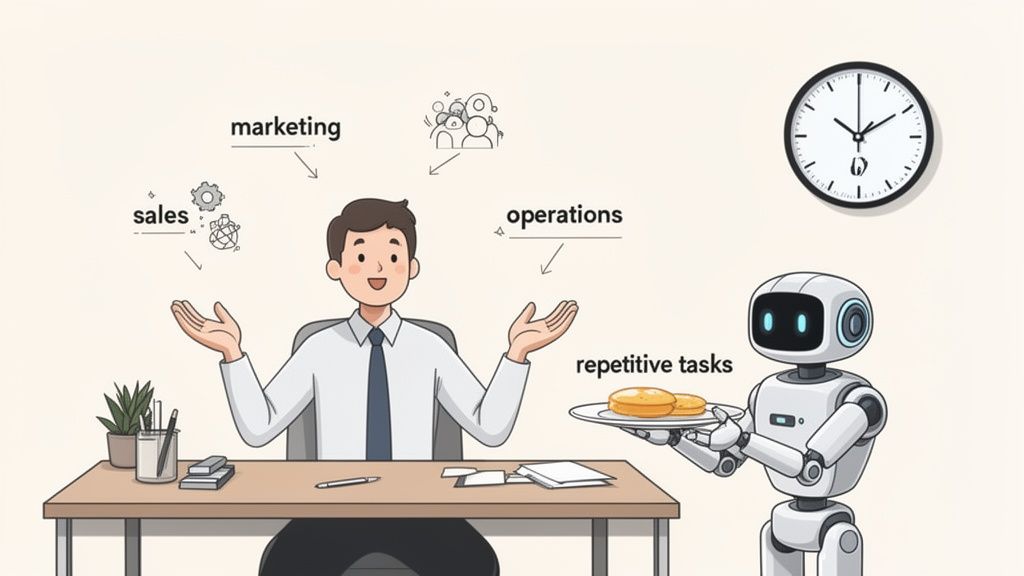
As a small business owner, time is your most precious resource. You're already wearing a dozen hats, trying to keep up with customer emails, inventory, and social media posts. That constant hustle leaves precious little time for the big-picture thinking that actually moves the needle. This is exactly where AI automation can change the game.
Forget the science fiction. For a small business, AI automation isn't some distant dream—it's a collection of affordable tools that can act like your most reliable employee. It’s about getting your day back by handing off the tedious, rule-based jobs that kill your momentum and create bottlenecks.
Moving from Manual Grind to Smart Systems
Just think about all the little points of friction in your day. Manually punching lead information into a spreadsheet. The back-and-forth of scheduling appointments. Typing out the same answer to the same customer question for the tenth time. Each of these tasks seems small on its own, but together, they represent a massive drain on your productivity.
AI-powered systems can do this work around the clock, without getting tired or making typos. This lets you and your team stop focusing on low-value admin and start tackling the high-impact stuff.
By automating routine work, you empower your team to focus on what humans do best: building relationships, solving complex problems, and innovating. It's less about replacing people and more about augmenting their capabilities.
Real-World Wins Beyond Saving Time
The benefits go way beyond just getting a few hours back. When you put the right automations in place, they deliver real, tangible results for your business. A Salesforce report found that 73% of small business owners say automation saves them valuable time, which they reinvest into better customer service and finding new ways to grow.
Here's what that actually looks like:
Better Customer Service: An AI chatbot on your website can give instant answers to common questions, helping customers 24/7, even when you're offline.
Smarter Marketing: Automated email sequences can nurture new leads with personalized messages, guiding them toward a purchase without you lifting a finger.
Fewer Costly Mistakes: Automating things like invoicing or data entry drastically reduces the risk of human error that can cost you money or a customer.
This guide is your playbook for making it happen. We'll walk you through how to spot the best opportunities for automation and put them into practice, turning daily friction into fuel for growth.
Finding Your Highest-Impact Automation Opportunities
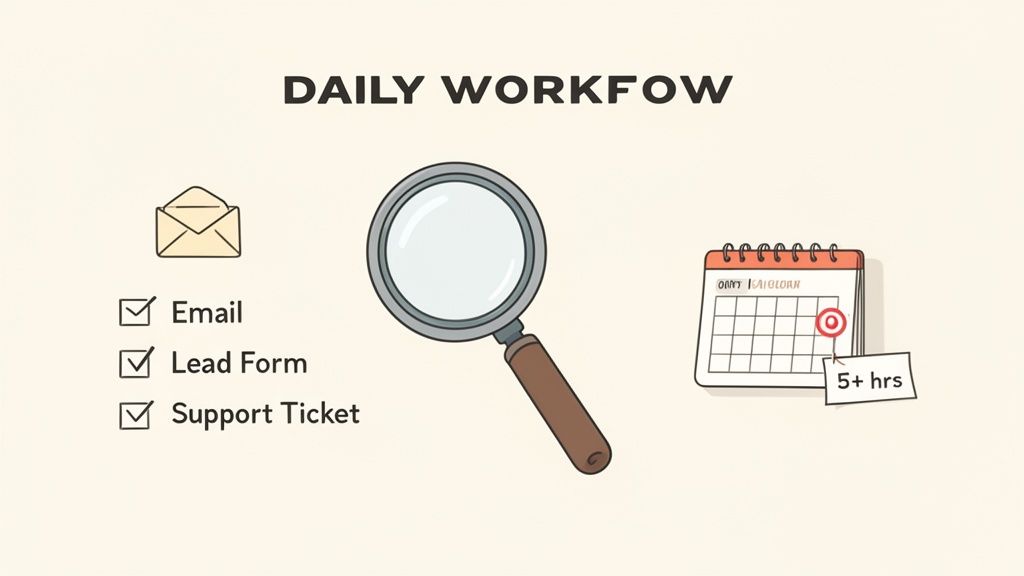
Before you get dazzled by all the AI tools out there, the first real step is figuring out where automation will actually move the needle for your business. The point of ai automation for small business isn't to chase shiny objects; it's to solve real, everyday problems that are eating up your time and resources.
So, where do you start? Look for the “time thieves.” These are the repetitive, mind-numbing tasks that crop up daily but don’t require an ounce of strategic thought. Think about your team’s day-to-day grind. Where are you constantly copying and pasting data from one system to another? That’s your ground zero.
Pinpointing Your Prime Automation Candidates
Every small business has its own unique set of bottlenecks, but most of them boil down to a few common culprits. If you audit these areas first, you can quickly build a shortlist of high-impact opportunities that will give you the most bang for your buck.
Here are a few questions I always ask business owners to get them thinking:
What’s that one task everyone on the team puts off until the last minute? That’s usually a goldmine for automation.
Where do small, silly mistakes happen most often? Think typos in client data, incorrect invoice amounts, or missed follow-up emails.
Which parts of your process slow down how quickly you can get back to a customer? This could be anything from generating a quote to answering a simple support question.
Do you have software that just won’t "talk" to your other tools? Manually moving data between them is a classic, textbook automation target.
The most successful automation projects I've seen don't try to boil the ocean. They start small by fixing a single, nagging problem—like manually qualifying leads from a website form—and prove their value almost immediately.
This approach gives you a quick win, frees up your team, and builds the confidence to tackle bigger projects. It’s also the best way to really understand what is workflow automation in a practical sense before you invest in more complex systems.
The results speak for themselves. A staggering 90% of small businesses using automation report more efficient operations. For us at Shalev Agency, this means building internal tools that directly boost our profitability. It’s no surprise that 49% of business owners who adopt automation cite massive productivity jumps as a key benefit. You can discover more insights from Salesforce on small business AI trends.
Breaking Down Opportunities By Business Function
Let's make this more concrete by looking at some specific examples from different parts of a typical business. Use this as a framework to organize your own ideas and figure out what to tackle first. Your goal should be to identify three to five initial targets that will deliver the biggest and fastest return.
A simple table can help you visualize exactly where AI can lend a hand.
High-Impact Automation Areas for Small Businesses
This table breaks down common business functions and pinpoints specific, high-value tasks that are perfect candidates for AI automation.
Business Function | High-Impact Automation Task | Potential AI Solution | Primary Benefit |
|---|---|---|---|
Marketing | Qualifying inbound leads from website forms | AI agent analyzes form data and routes qualified leads directly to your CRM | Faster lead response time |
Client Support | Answering frequently asked questions | AI chatbot on your website provides 24/7 instant answers | Improved customer satisfaction |
Operations | Onboarding new clients or customers | Automated email sequence that sends welcome materials and next steps | Consistent client experience |
Finance | Sending payment reminders for overdue invoices | Automated system that detects late payments and sends follow-up emails | Improved cash flow |
This kind of structured thinking turns a vague goal—"we should automate more"—into a clear, actionable plan. By starting with a deep understanding of your own pain points, you ensure that your first step into AI is a strategic one, not just a shot in the dark.
Picking the Right AI Automation Tools
The sheer number of AI tools out there can be overwhelming. It feels like a new "game-changing" app launches every week, and it’s easy to get stuck just trying to figure out where to start. The trick is to ignore the hype and focus on a simple framework for deciding what you actually need.
When it comes to AI automation for small business, you really have three ways you can go. Each has its pros and cons in terms of cost, how much you can customize it, and how long it takes to get running. Let's break them down.
Three Paths to Automation
Your choice here directly affects how fast you’ll see a return and how much you can bend the technology to your will. There’s no single right answer, just the one that fits where your business is today and where you want it to go.
1. The DIY Route: Off-the-Shelf SaaS Tools
This is where most businesses dip their toes in the water. Think of tools like Zapier, Make, or Calendly. They're built for people who aren't developers. You can connect the apps you already use—your CRM, email, Slack—with a few clicks.
The big win here is speed. You can have your first automation live in less than an hour. The downside? You're stuck with the integrations they offer. If you need something really specific or a workflow with a dozen complex steps, you might hit a wall.
2. The Flexible Middle Ground: No-Code/Low-Code Platforms
Next up are platforms like Bubble or Airtable. These give you way more power than a simple SaaS tool without forcing you to learn how to code from scratch. You can build custom internal dashboards, simple client portals, or more advanced workflows.
There's a bit more of a learning curve, for sure. But the payoff is a system that’s molded to how you actually work, not the other way around.
3. The Custom Build: Working with a Partner
For those truly unique problems or when you need to tie together multiple complex systems, a custom solution is the way to go. This is where you bring in a partner—like us at Shalev Agency—to design and build a workflow from the ground up that solves your exact bottleneck.
This approach gives you maximum flexibility and can be built to integrate perfectly with any proprietary software you already have. It’s the biggest investment upfront, but for mission-critical processes, it almost always delivers the highest long-term ROI. A great example is the AI-powered task management system we helped build for Tasq.
The best tool isn't the one with the most bells and whistles. It's the one that solves a real problem with the least amount of friction for your team.
How to Make a Smart Choice
So, which path is for you? Go back to the list of automation opportunities you identified earlier.
If you’re trying to automate something simple, like posting your blog updates to social media, a straightforward SaaS tool is a no-brainer. But if you’re trying to build a smart system to manage client projects from intake to final delivery, that’s when you start looking at a custom solution.
Think about it: many small businesses sink a ton of time into content creation. Recent data shows that 52% of small businesses using AI are applying it to create content, which frees them up to focus on bigger ideas instead of the daily grind. Finding the best AI content creation tools can be a huge first step in reclaiming those hours.
Ultimately, your decision comes down to balancing three things:
Cost: What can you afford for the initial setup and any ongoing monthly fees?
Time to Value: How fast do you need this thing to start working and saving you time or money?
Scalability: Will this solution grow with your business, or will you be looking for a replacement in a year?
Weigh these factors against your specific needs. It’s the surest way to pick a tool that not only solves today's headache but also supports you down the road.
How To Implement Your First AI Workflow
Alright, this is where the rubber meets the road. We've talked theory, now let's get tangible results. Kicking off your first AI workflow can feel like a massive undertaking, but if you break it down into smaller, bite-sized pieces, it's far less daunting. The goal here isn’t to overhaul your entire business overnight; it's to score a quick, meaningful win.
Let's ground this in a real-world scenario. Say you run a small service business, and your support inbox is a constant flood. Your team sinks hours every morning just triaging these emails—figuring out if they're urgent, technical, or billing-related, then manually passing them off. This is a golden opportunity for your first AI workflow.
Laying The Groundwork For Success
Before you even think about software, you need a solid plan. This isn't about drafting a 20-page business case; it's about getting brutally clear on what you're trying to do and what success looks like. A fuzzy plan always leads to a messy implementation.
For our support ticket example, the primary goal is simple: reduce manual email sorting time by 90%. A secondary goal could be to cut the average first-response time by 2 hours.
Here's a quick checklist to get you started:
Nail down a single, clear objective. What's the one thing you're trying to fix? (e.g., "Get our manual data entry down from 5 hours a week to under 30 minutes.")
Map out the current process. I mean literally draw it out. Who does what? Which tools are involved? Get a visual of the "before" state.
Pinpoint the trigger and the action. A trigger is what kicks things off (e.g., a new email lands in support@yourcompany.com). The action is what you want to happen (e.g., the email is analyzed, tagged, and a task is created in your project management tool for the right person).
Pick your poison (in a good way). Based on your needs, decide if a simple SaaS tool, a more flexible platform, or a custom-built solution is the right fit.
This flowchart illustrates the three main avenues you can explore when choosing your AI tools.
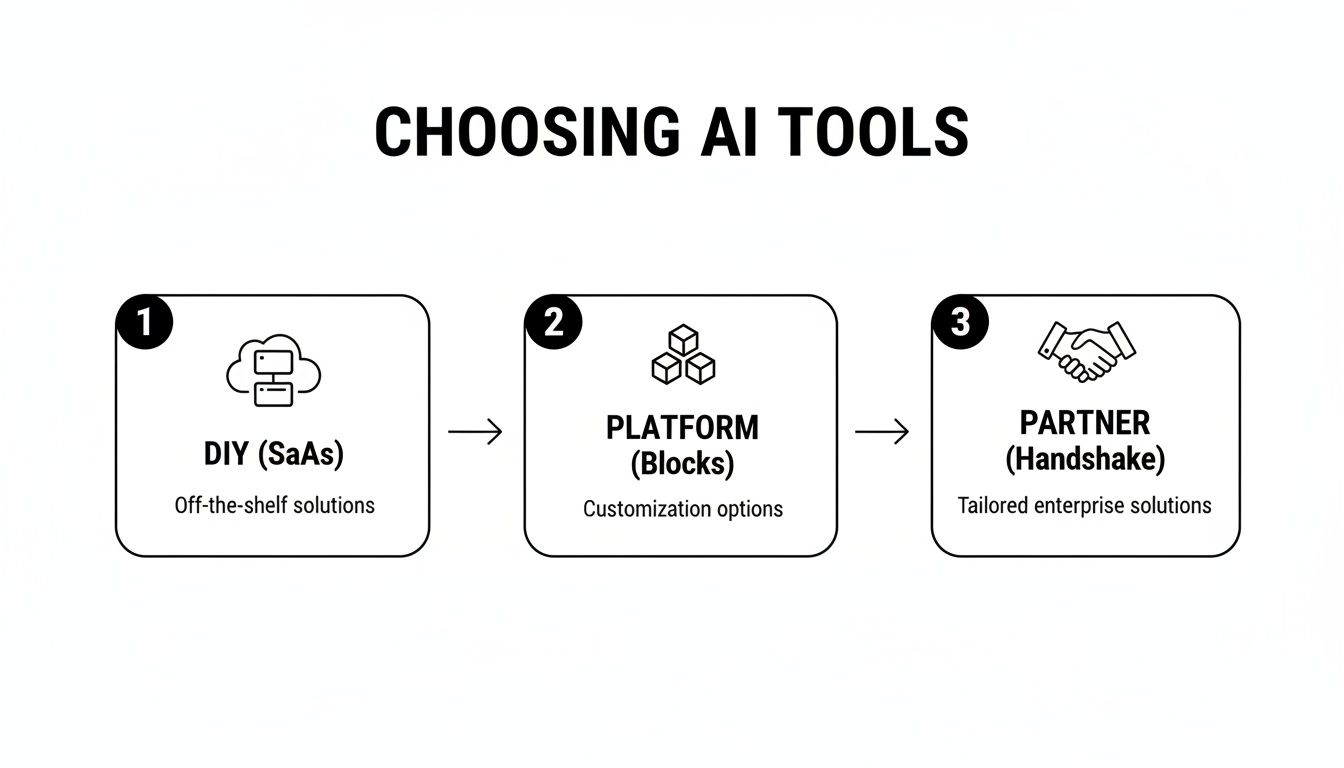
This breaks down your options, from off-the-shelf tools to completely custom builds, helping you match your choice with your team's technical skills and business goals.
Testing and Refining Your Workflow
Whatever you do, don't launch a new automation to your entire team or customer base at once. That's a recipe for chaos. The secret is to run a small pilot project first to iron out all the wrinkles. Think of it as a dress rehearsal.
For our email-sorting AI, you wouldn't just flip the switch and cross your fingers. Instead, you'd let it run quietly in the background for a few days. The AI would analyze and categorize incoming emails, but your team would carry on sorting them manually. At the end of each day, you compare the AI's work to your team's.
Pro Tip: Your first pilot will absolutely uncover edge cases you never thought of. That’s a good thing. It's far better to learn that your AI gets confused by emails about "shipping" (when you don't sell physical products) during a test than when a real customer is waiting for a response.
This is the phase where you'll fine-tune the prompts and rules. You might realize the AI needs more explicit instructions to tell a sales lead from a feature request. Document every tweak—this knowledge is gold for your next project.
Deployment and Team Onboarding
Once you're confident the workflow is humming along nicely, it's time for the official rollout. This part is less about technology and more about people. The success of any ai automation for small business hinges entirely on your team's buy-in.
If you just drop a new tool in their lap without any context, expect pushback. Communication is everything.
You have to frame the change around how it benefits them. Don't say, "We're automating email sorting to boost efficiency." Instead, try: "We're bringing in a smart assistant to handle the tedious email sorting so you can spend your morning actually solving client problems instead of playing air traffic controller."
A quick onboarding session can work wonders:
Show, don't just tell. Walk them through the new workflow. Show them exactly what's different in their day-to-day.
Explain the "why." Remind them of the frustrations with the old way of doing things and connect the automation to that pain point.
Provide a safety net. Let them know you'll be watching the system like a hawk and that someone is on standby to fix any glitches.
For businesses that need to connect multiple, complex systems, bringing in a development partner can make deployment seamless. You can see great examples of how specialized agencies build custom tools for IT and SaaS companies to solve these exact problems, ensuring the tech not only works but integrates perfectly from day one.
How To Measure Your Automation ROI and Scale Up
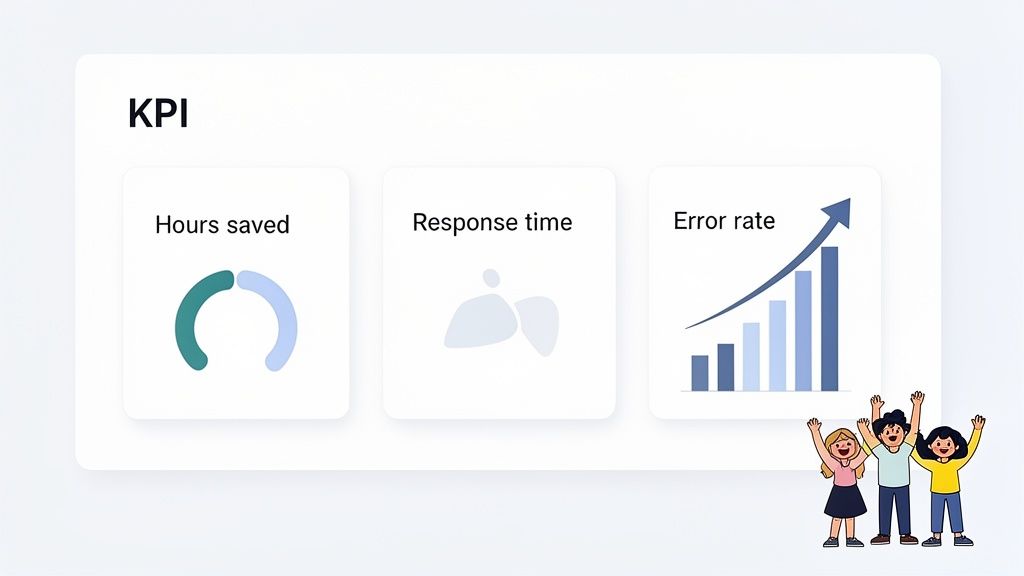
Getting your first AI workflow live is a huge win, but it's really just the starting line. To turn that single fix into a real growth driver, you have to prove its worth. If you can't show the impact in black and white, it’s tough to justify doing more with ai automation for small business.
The good news is you don’t need a fancy financial model to track your return on investment (ROI). It all starts with picking the right key performance indicators (KPIs)—the numbers that show you’ve actually solved the problem you targeted. Forget vague goals and get focused on concrete results.
Identifying Your Core Metrics
Vanity metrics won't cut it. The only KPIs that truly matter are the ones tied to things you can count: time, money, and happy customers. The simplest way to start is by looking at the "before" and "after" of the process you just automated.
Here are the top three KPIs I always recommend small businesses track:
Time Saved (in hours per week): This is usually the quickest and most obvious win. Just calculate how many hours your team used to spend on a task versus how much time it takes now. Multiply those saved hours by an average hourly wage, and you’ve got a clear dollar figure.
Response Time Improvement: For any automation that touches a customer, how much faster are you getting back to leads or support tickets? A quicker response almost always leads to higher conversions and keeps customers coming back.
Error Rate Reduction: Manual data entry is a recipe for mistakes. Think about it—incorrect invoice details, leads sent to the wrong person. Track how many errors were happening before and after to see how much you're saving on rework and headaches.
To make sure your automations are paying off, especially when it comes to ROI, it's smart to fine-tune key customer touchpoints like your website forms. Improving these interactions can give you much cleaner data for your KPIs. You can find some great actionable conversion rate optimization tips to help with that.
Building on Your Success
Once you have solid data showing a clear victory, you’ve earned the momentum to scale. Your first successful project is the perfect case study to get the rest of the team excited and start building an "automation-first" mindset. This is how you go from patching holes to fundamentally improving your operations.
Pull out that prioritized list of automation opportunities you made earlier. With a proven success under your belt, you can confidently move on to the next item. Each new workflow you build should create a network of interconnected efficiencies that make the whole business run smoother.
Your goal is to create a culture where everyone is constantly asking, "Could a machine be doing this?" When your team starts proactively identifying automation opportunities on their own, you know you've truly succeeded.
Scaling From One Workflow to a Company Mindset
Scaling up isn't just about adding more software; it’s about changing how your business thinks and works. The numbers you track from your KPIs will shine a light on new bottlenecks and opportunities you never would have seen otherwise.
Follow this simple framework to keep the momentum going:
Share Your Wins Widely. Put together a simple one-page report showing the KPIs from your first project. Celebrate that success with your team and show them how it made their jobs better, not harder.
Tackle the Next Priority. Go right to the next highest-impact task on your list. Use what you learned from the first go-around to make the next implementation even faster.
Standardize Your Tools. As you expand, try to stick to a core set of automation platforms. It's much easier for everyone to learn and manage, and it prevents you from ending up with a messy web of disconnected tools.
By consistently measuring your ROI and reinvesting those gains into the next opportunity, you create a powerful flywheel. AI automation stops being a one-off project and becomes a continuous engine for making your business better, stronger, and built for growth.
Common AI Automation Questions Answered
Jumping into AI automation can feel a bit overwhelming, and it's totally normal to have questions. For most small business owners I talk to, the big worries usually come down to cost, complexity, and security.
Let's clear the air and tackle some of the most common questions I hear. My goal is to help you feel confident enough to take that next step.
Is AI Automation Too Expensive For My Small Business?
This is easily the biggest myth holding businesses back. Honestly, the cost of getting started with ai automation for small business has fallen through the floor. You absolutely don't need a massive budget.
Plenty of powerful tools run on simple subscription plans, with some starting under $50 a month. These can easily handle things like scheduling your social media, managing appointments, or doing a first pass on sorting your emails.
The real question to ask is, what's the cost of not automating? If you're spending five hours a week on a manual task, that's 20 hours a month. An automation tool that costs $30 and gives you back those hours is a no-brainer. The cost of inefficiency is almost always higher than the price of a simple tool.
The best way to start is to think small. Pick one high-impact, low-cost automation. See exactly how much time and money it saves, then roll those gains into your next project.
Will AI Replace My Employees?
I get this question a lot, and I understand the concern. But for a small business, it’s almost always unfounded. AI isn't here to replace your team; it’s here to make them better at their jobs. Think of it as the ultimate assistant, not a new hire.
AI is fantastic at the structured, repetitive, and frankly, boring tasks that your team probably hates doing anyway. By handing that work over to an AI, you free up your people to focus on what humans do best:
Building real client relationships through thoughtful, personal conversations.
Thinking creatively to solve tricky customer problems.
Developing new strategies to actually grow the business.
AI handles the predictable, while your team tackles the dynamic. This partnership lets a small team achieve so much more without burning out. It’s all about augmenting your existing talent, not replacing it.
How Do I Keep My Business Data Secure With AI Tools?
Data security is non-negotiable. This is a smart question to ask, and you should be asking it. When you're looking at any AI tool, security needs to be at the very top of your checklist. Not all platforms are built the same, so a little homework is required.
I always tell my clients to prioritize providers who are transparent about their security measures. Look for industry-standard certifications like SOC 2 compliance. That seal of approval means they've gone through a rigorous third-party audit of their security practices.
You should also look for these basics:
Data Encryption: This ensures your data is protected both when it's sitting on their servers and when it's being sent back and forth.
Two-Factor Authentication (2FA): This adds a critical layer of security to stop unauthorized account access.
And please, always read the privacy policy to understand how your data is being stored and used. If you're building a custom solution, working with a trusted partner ensures security is baked in from the ground up, not just bolted on at the end.
What Is The Difference Between AI and Simple Automation?
This is a great question because the two terms get thrown around interchangeably. Simple automation is based on rigid, "if this, then that" rules. It’s predictable and just follows a script you set up. For example, "IF an email contains the word 'Invoice,' THEN move it to the 'Finance' folder." It's incredibly powerful for straightforward tasks.
AI automation, on the other hand, brings intelligence and decision-making into the mix. It can understand context, learn from new data, and handle situations that aren't black and white.
An AI-powered workflow, for instance, can analyze the entire content of a support email. It can figure out the customer's sentiment (are they angry or just curious?), categorize the specific issue, and route it to the right person with a quick summary—all without needing a strict rule for every possible keyword. It adds a layer of smarts that simple automation just can't match.
Ready to stop wasting time on repetitive tasks and start building a more efficient business? At Shalev Agency, we specialize in designing and building custom AI agents and workflows that save you time and drive real results. Let's find your highest-impact automation opportunities together. Learn more about our AI solutions.